Skip to content

Πώς μπορώ να βρω το Feed URL μου στο Google Merchant Center;

Shoparize E-commerce growth team
Download PDF Read below

Introduction

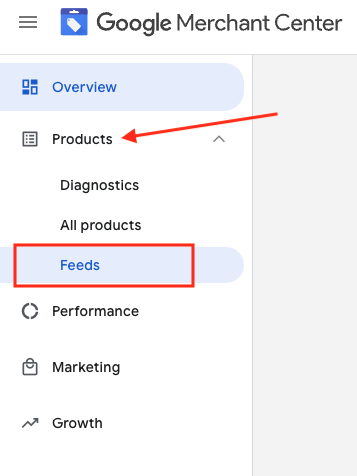
1. Συνδεθείτε στον λογαριασμό σας στο Google Merchant 2. Στα αριστερά, μεταβείτε στο «Προϊόντα» και έπειτα στο «Feeds»
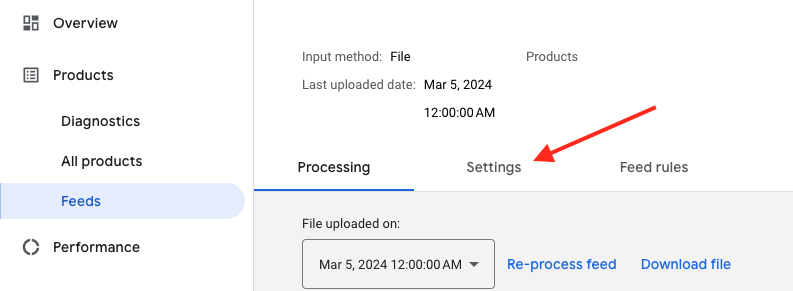
3. Βρείτε το feed που θέλετε να ελέγξετε και κάντε κλικ στο όνομα του feed με μπλε χρώμα

4. Μεταβείτε στην καρτέλα Ρυθμίσεις.
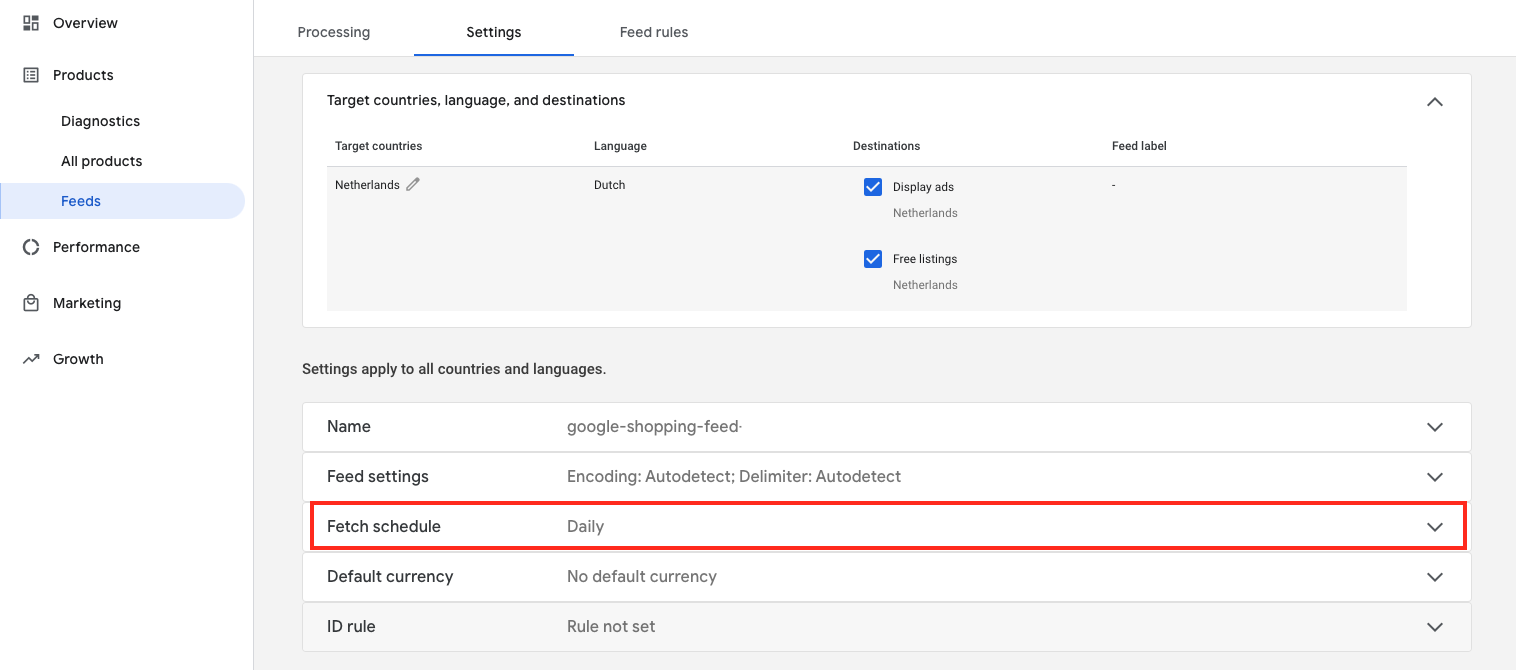
5. Κάντε κύλιση προς τα κάτω και κάντε κλικ στο «Fetch schedule»
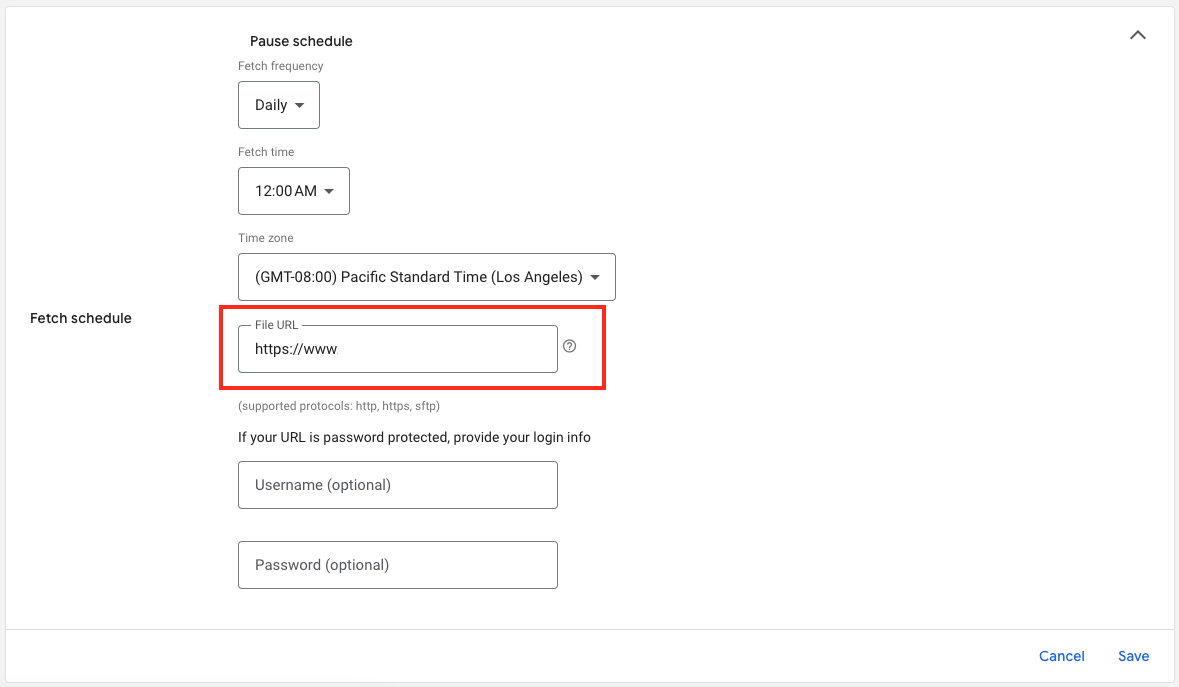
6. Και εδώ είναι το URL του αρχείου της ροής σας:
Download the full guide

Get the PDF version and keep the checklist close while you work through setup.

Want help choosing the right Shopping setup?

Talk to our team and we will recommend the right path for your store, market, and product feed.

Talk to our team