Skip to content

Wie finde ich meine Feed-URL in meinem Google Merchant Center?

Shoparize E-commerce growth team
Download PDF Read below

Introduction

1. Melden Sie sich in Ihrem Google Merchant Center-Konto an 2. Navigieren Sie links zu „Produkte“ und dann zu „Feeds“
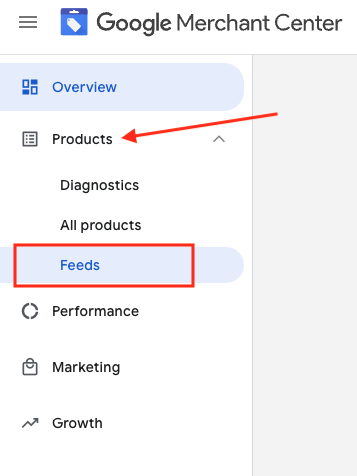
3. Suchen Sie den Feed, den Sie überprüfen möchten, und klicken Sie auf den blau angezeigten Feed-Namen

4. Gehen Sie zur Registerkarte „Einstellungen“.
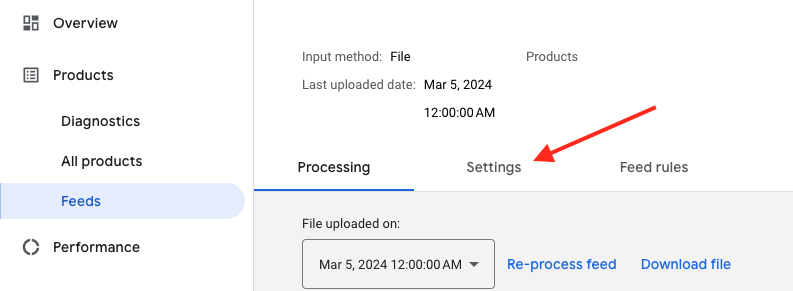
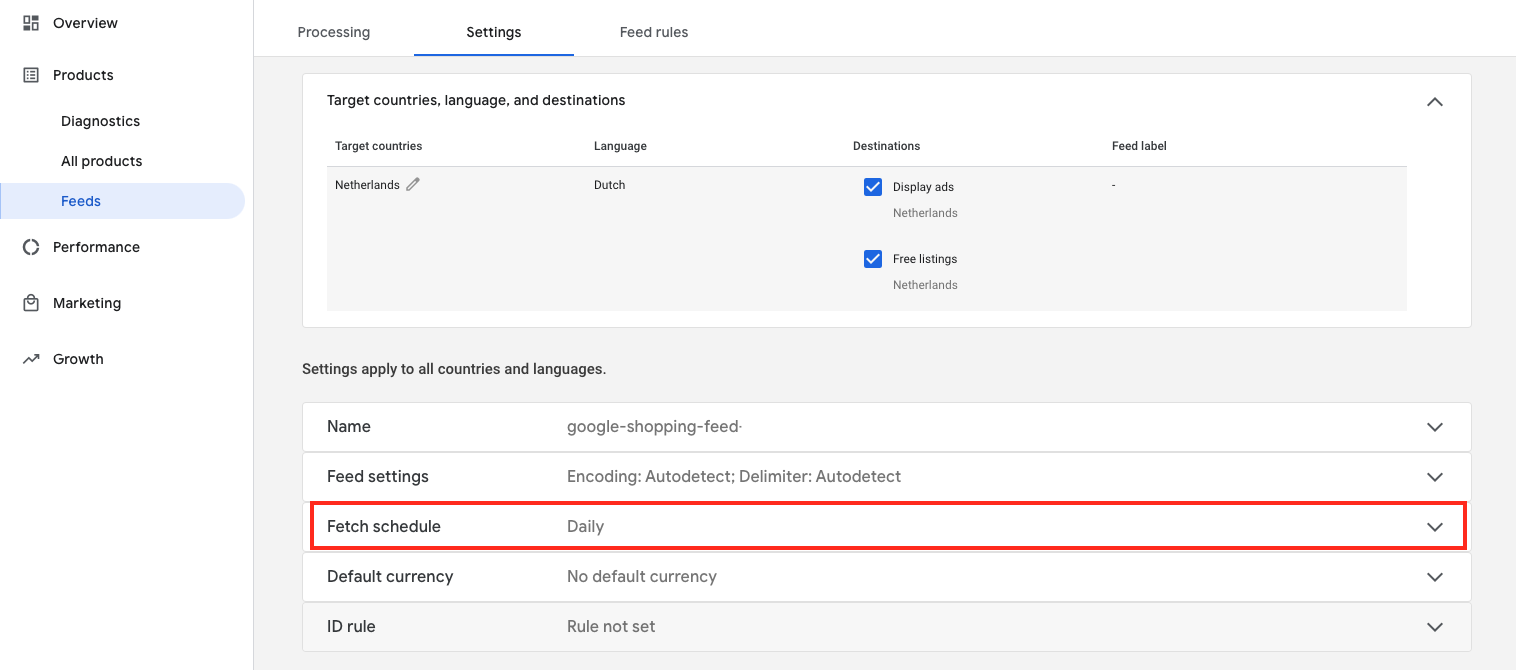
5. Scrollen Sie nach unten und klicken Sie auf „Zeitplan abrufen“
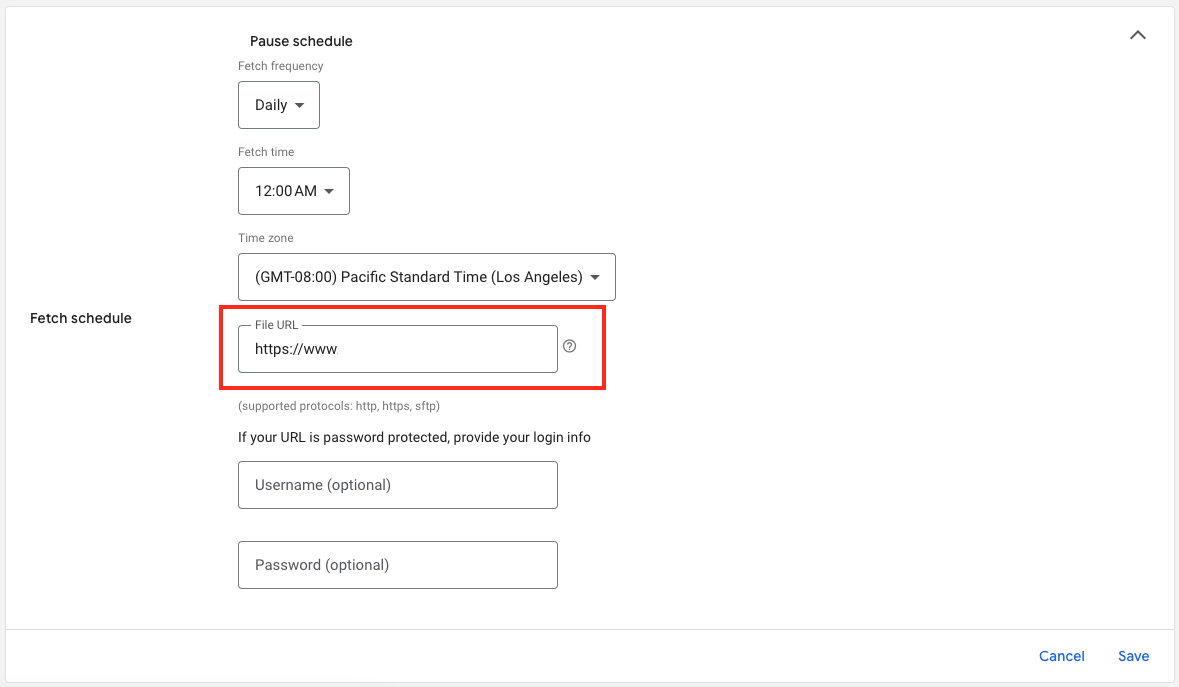
6. Und hier ist die URL Ihrer Feed-Datei:

Download the full guide

Get the PDF version and keep the checklist close while you work through setup.

Want help choosing the right Shopping setup?

Talk to our team and we will recommend the right path for your store, market, and product feed.

Talk to our team