Skip to content

Miten löydän Feed URL -osoitteeni Google Merchant Centeristä?

Shoparize E-commerce growth team
Download PDF Read below

Introduction

1. Kirjaudu Google Merchant -tilillesi 2. Siirry vasemmalta kohtaan ”Products” ja valitse ”Feeds”
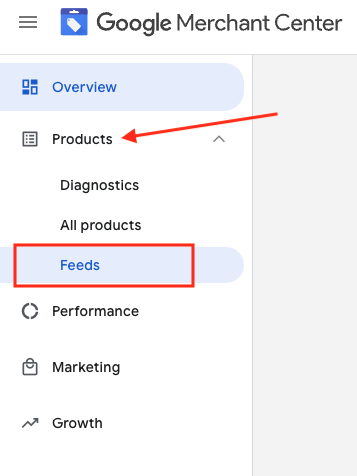
3. Etsi tarkistettava syöte ja napsauta sinisellä näkyvää syötteen nimeä

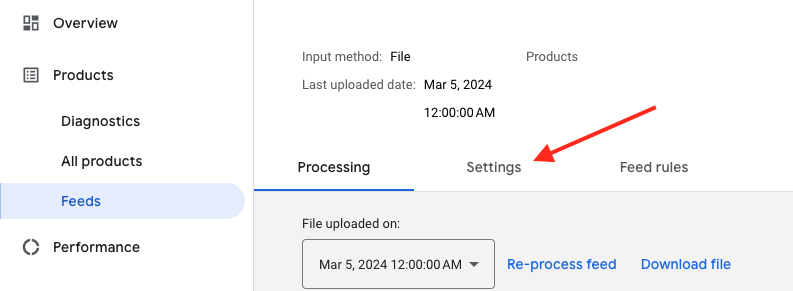
4. Siirry Asetukset-välilehdelle.
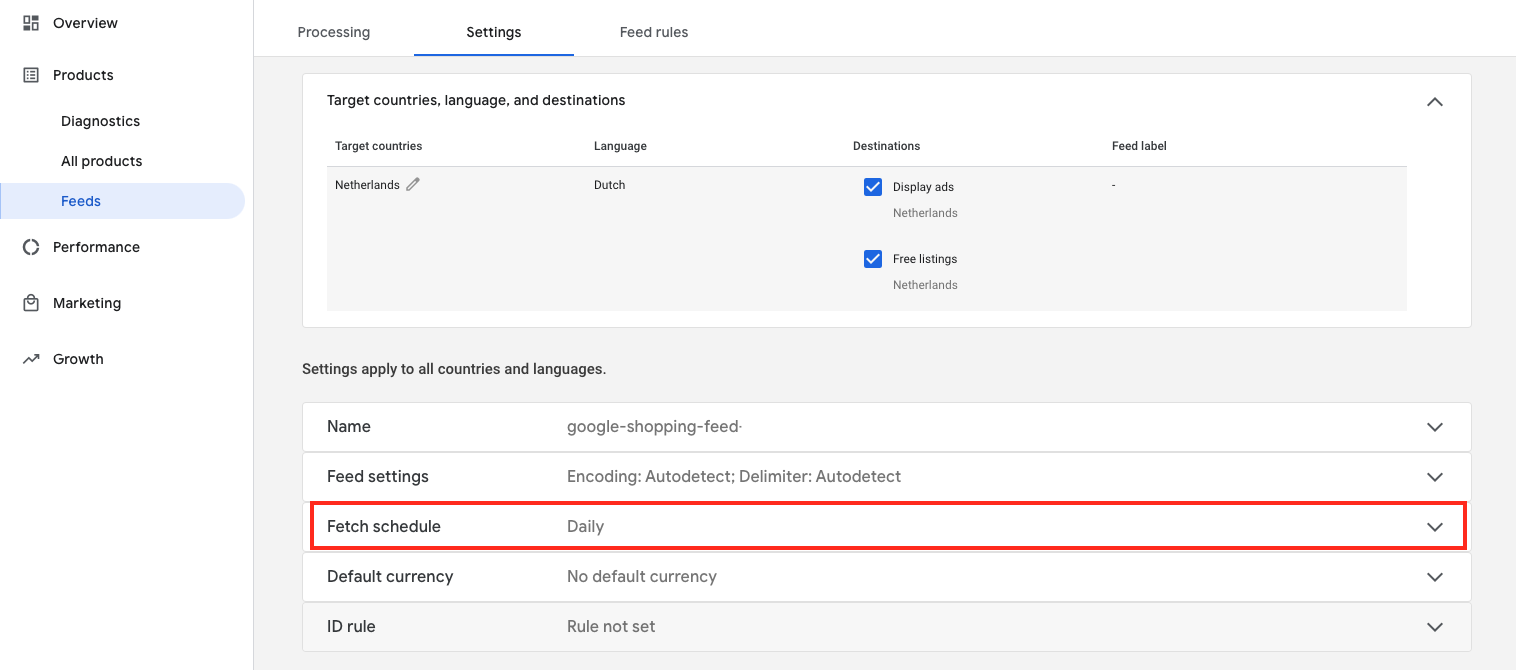
5. Vieritä alas ja napsauta "Fetch schedule"
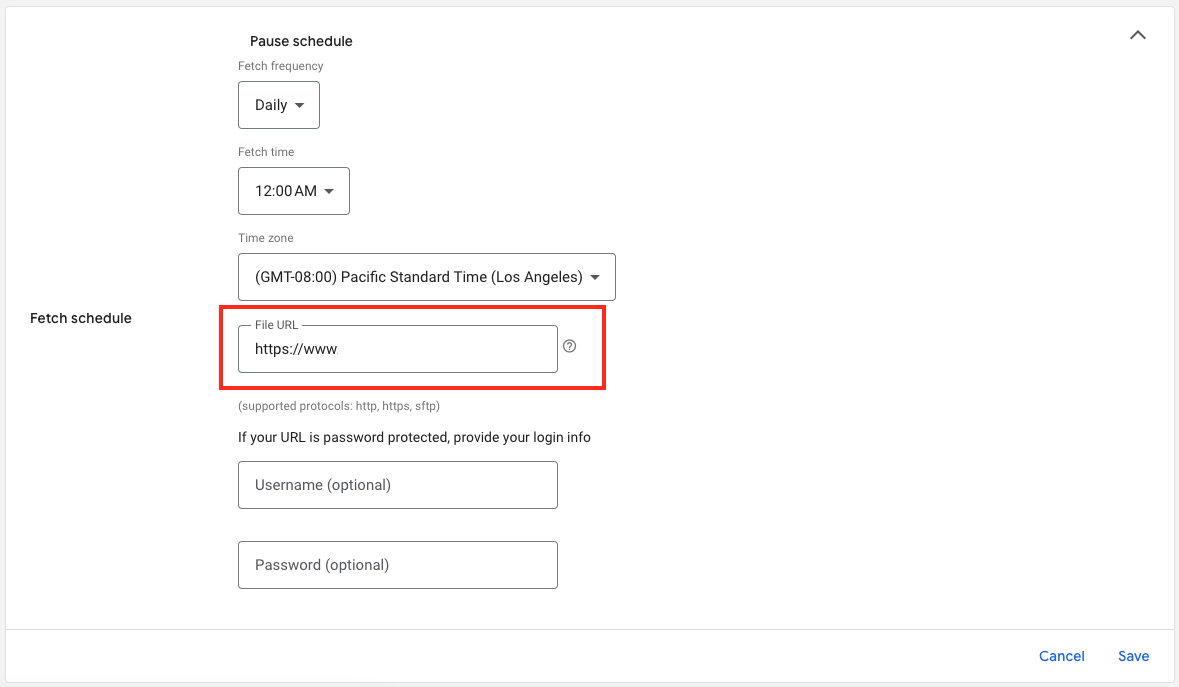
6. Ja tässä on syötetiedostosi URL-osoite:

Download the full guide

Get the PDF version and keep the checklist close while you work through setup.

Want help choosing the right Shopping setup?

Talk to our team and we will recommend the right path for your store, market, and product feed.

Talk to our team