Skip to content

Jak najdu adresu URL svého feedu v Google Merchant Center?

Shoparize E-commerce growth team
Download PDF Read below

Introduction

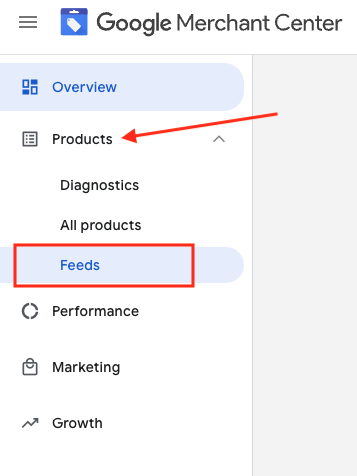
1. Přihlaste se ke svému účtu Google Merchant 2. V levém menu přejděte na „Products“ a poté na „Feeds“
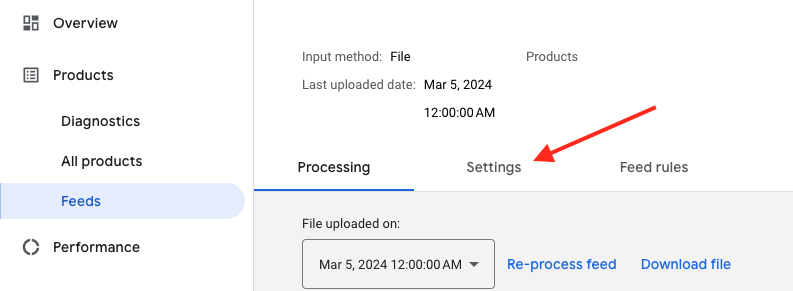
3. Najděte feed, který chcete zkontrolovat, a klikněte na jeho název zobrazený modře

4. Přejděte na kartu Nastavení.
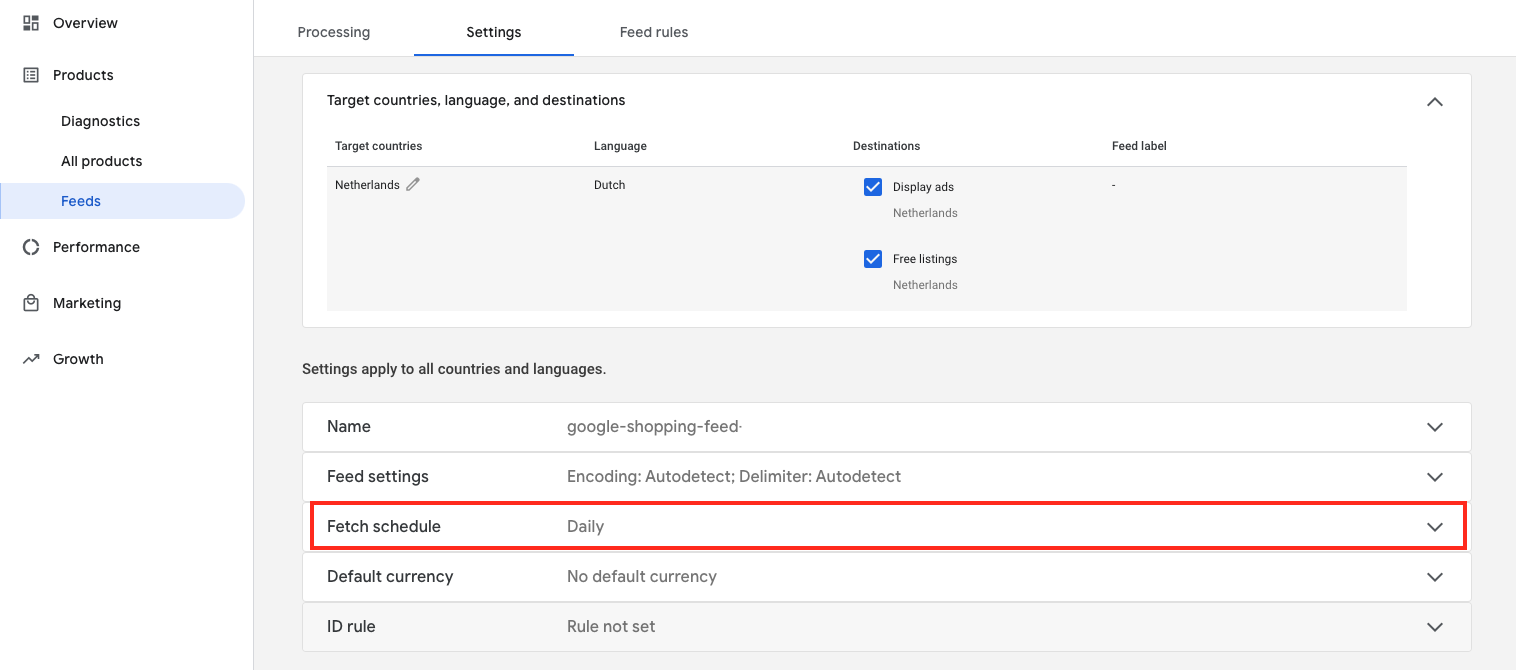
5. Přejděte dolů a klikněte na „Načíst plán“
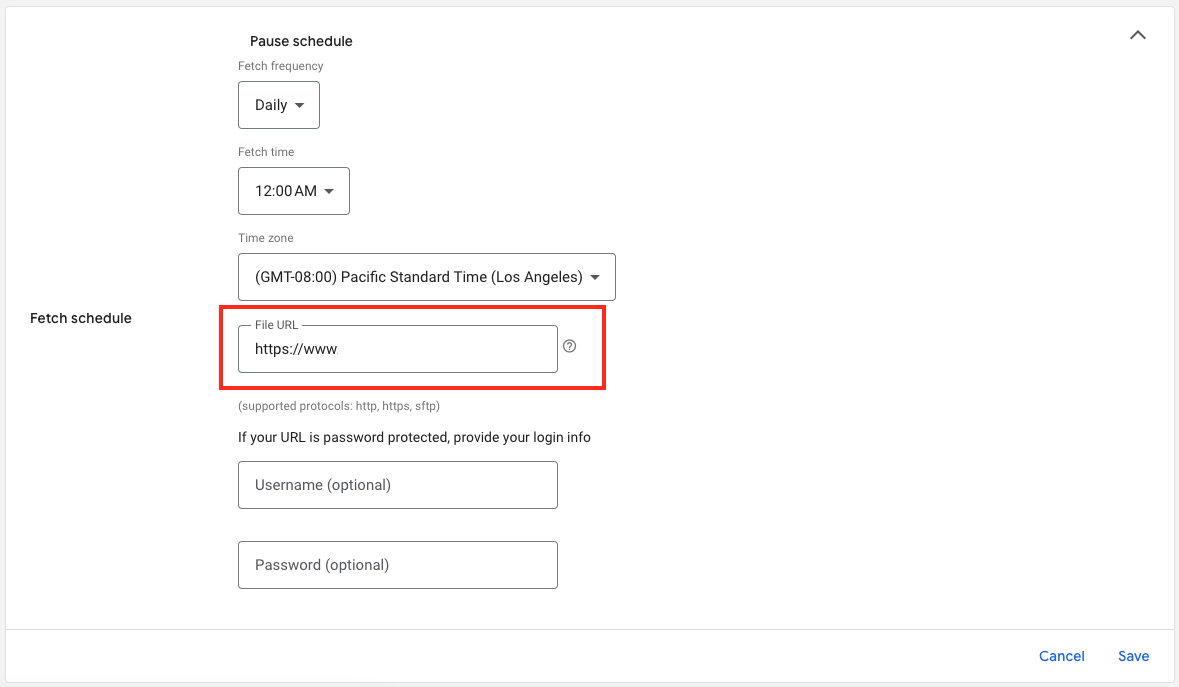
6. A tady je URL adresa vašeho souboru feedu:

Download the full guide

Get the PDF version and keep the checklist close while you work through setup.

Want help choosing the right Shopping setup?

Talk to our team and we will recommend the right path for your store, market, and product feed.

Talk to our team