Skip to content

Cum îmi pot găsi URL-ul feedului în Google Merchant Center?

Shoparize E-commerce growth team
Download PDF Read below

Introduction

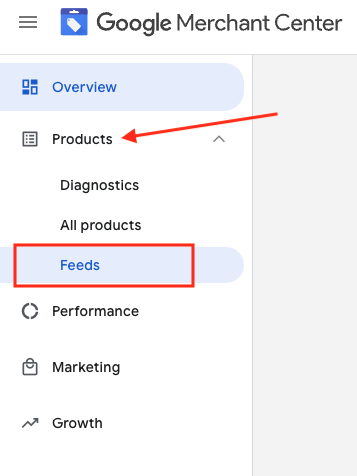
1. Conectați-vă la contul dvs. Google Merchant 2. În partea stângă, accesați „Products” și apoi „Feeds”
3. Găsește feedul pe care vrei să îl verifici și dă clic pe numele feedului afișat cu albastru

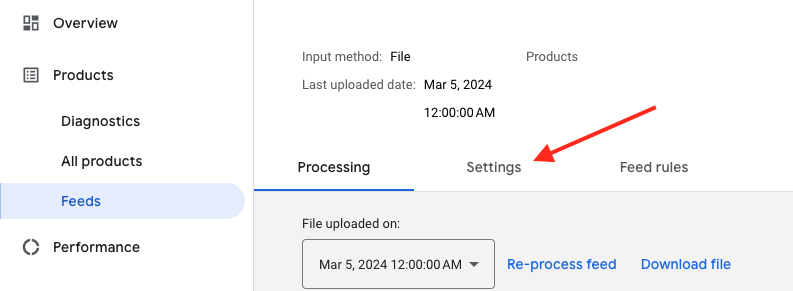
4. Accesează fila Settings.
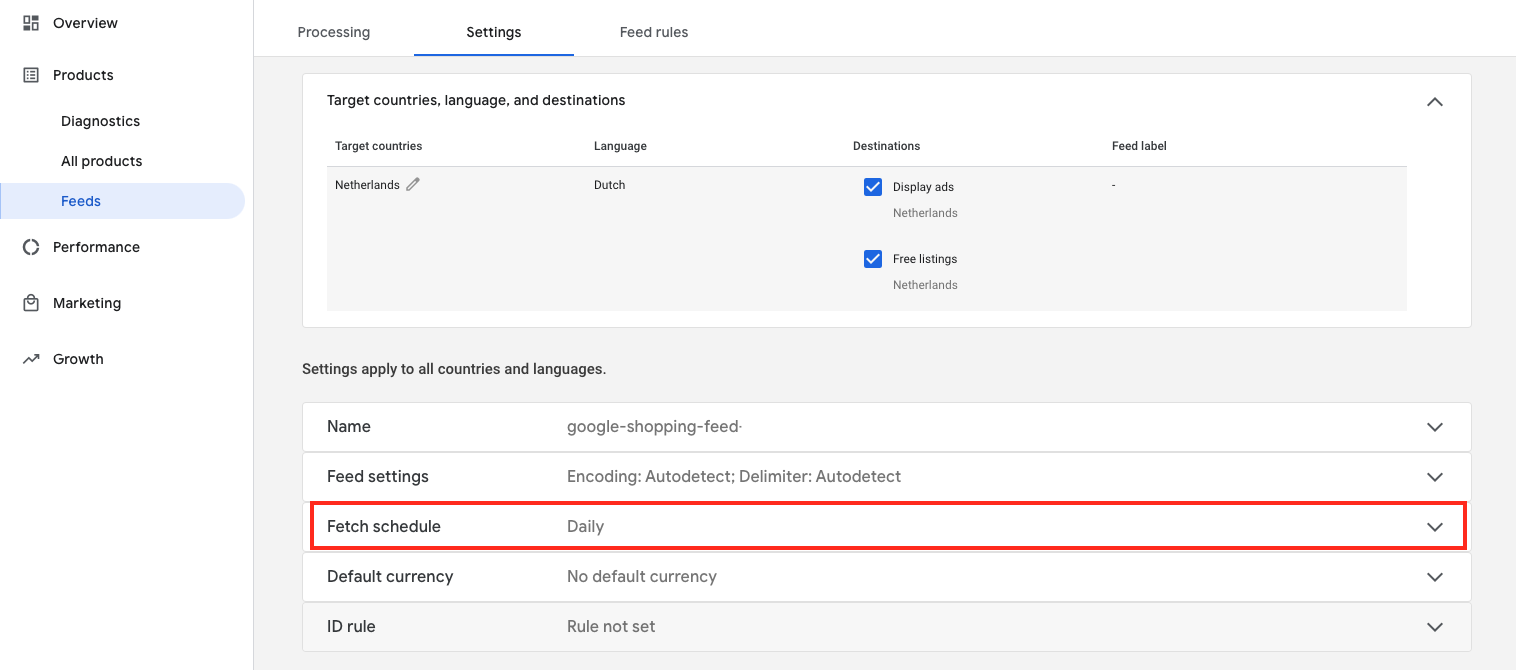
5. Derulați în jos și faceți clic pe „Fetch schedule”
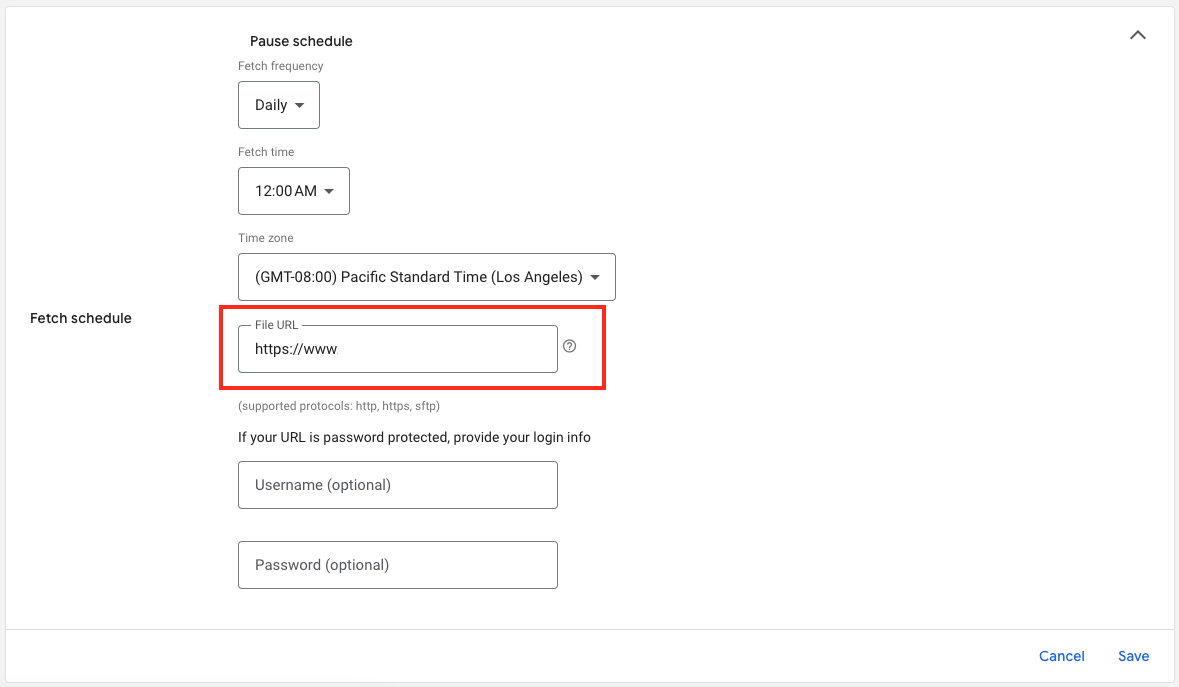
6. Iar acesta este URL-ul fișierului feed:

Download the full guide

Get the PDF version and keep the checklist close while you work through setup.

Want help choosing the right Shopping setup?

Talk to our team and we will recommend the right path for your store, market, and product feed.

Talk to our team