Skip to content

Hur hittar jag min feed-URL i mitt Google Merchant Center?

Shoparize E-commerce growth team
Download PDF Read below

Introduction

1. Logga in på ditt Google Merchant-konto 2. Gå till ”Produkter” i menyn till vänster och välj ”Flöden”
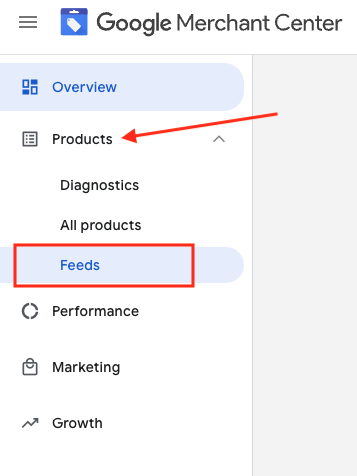
3. Hitta det feed du vill kontrollera och klicka på feed-namnet i blått

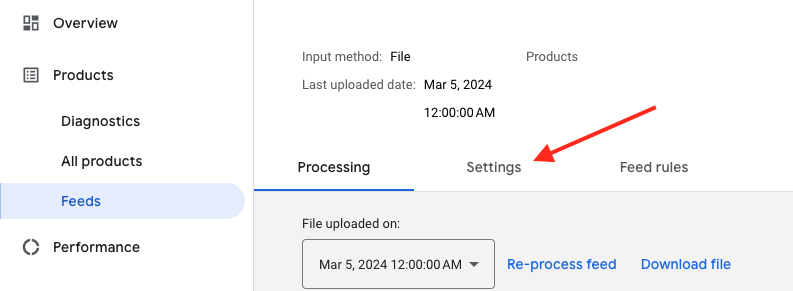
4. Gå till fliken Inställningar.
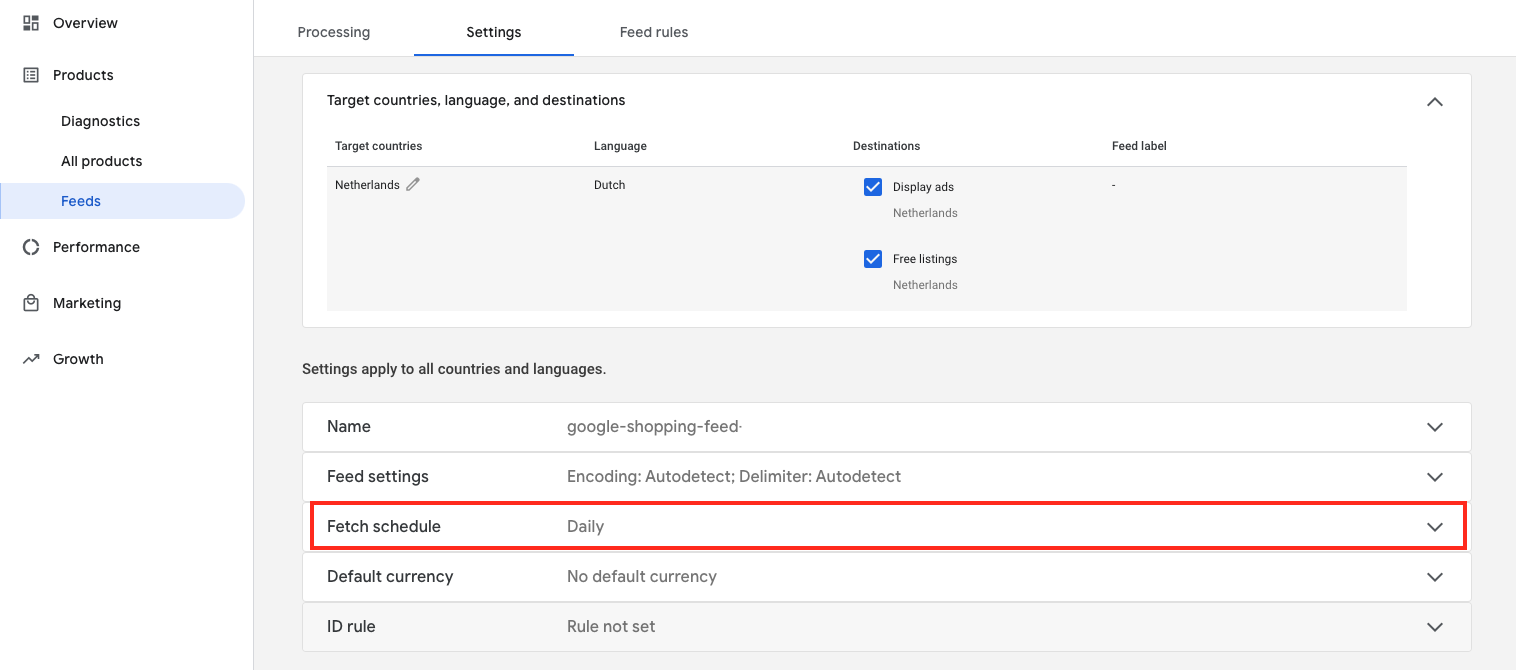
5. Scrolla ned och klicka på ”Hämta schema”
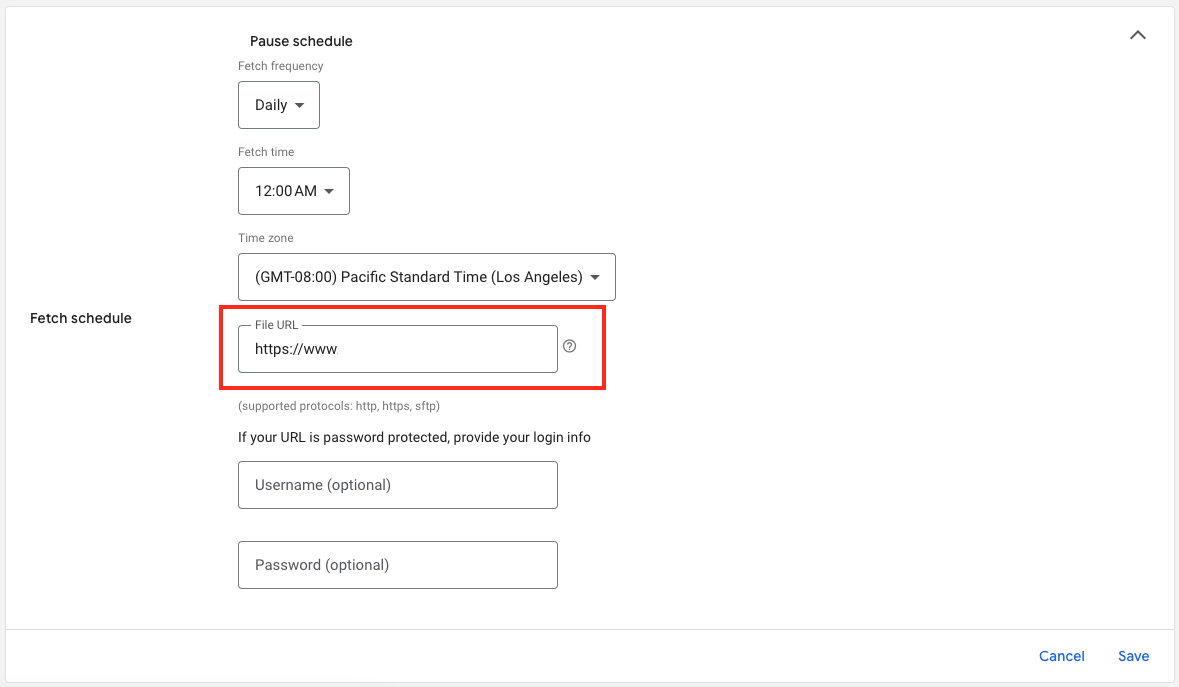
6. Och här är URL:en till din feed-fil:

Download the full guide

Get the PDF version and keep the checklist close while you work through setup.

Want help choosing the right Shopping setup?

Talk to our team and we will recommend the right path for your store, market, and product feed.

Talk to our team