Skip to content

Como posso encontrar o URL do meu feed no meu Google Merchant Center?

Shoparize E-commerce growth team
Download PDF Read below

Introduction

1. Acesse sua conta do Google Merchant 2. No menu à esquerda, vá em “Produtos” e depois em “Feeds”
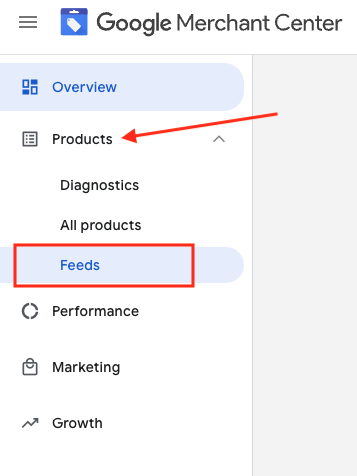
3. Encontre o feed que deseja verificar e clique no nome do feed em azul

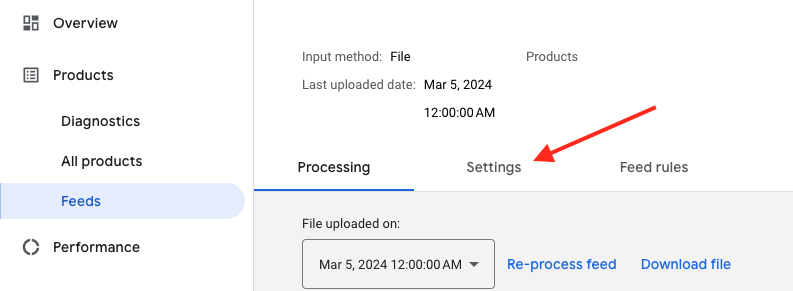
4. Vá para a aba Configurações.
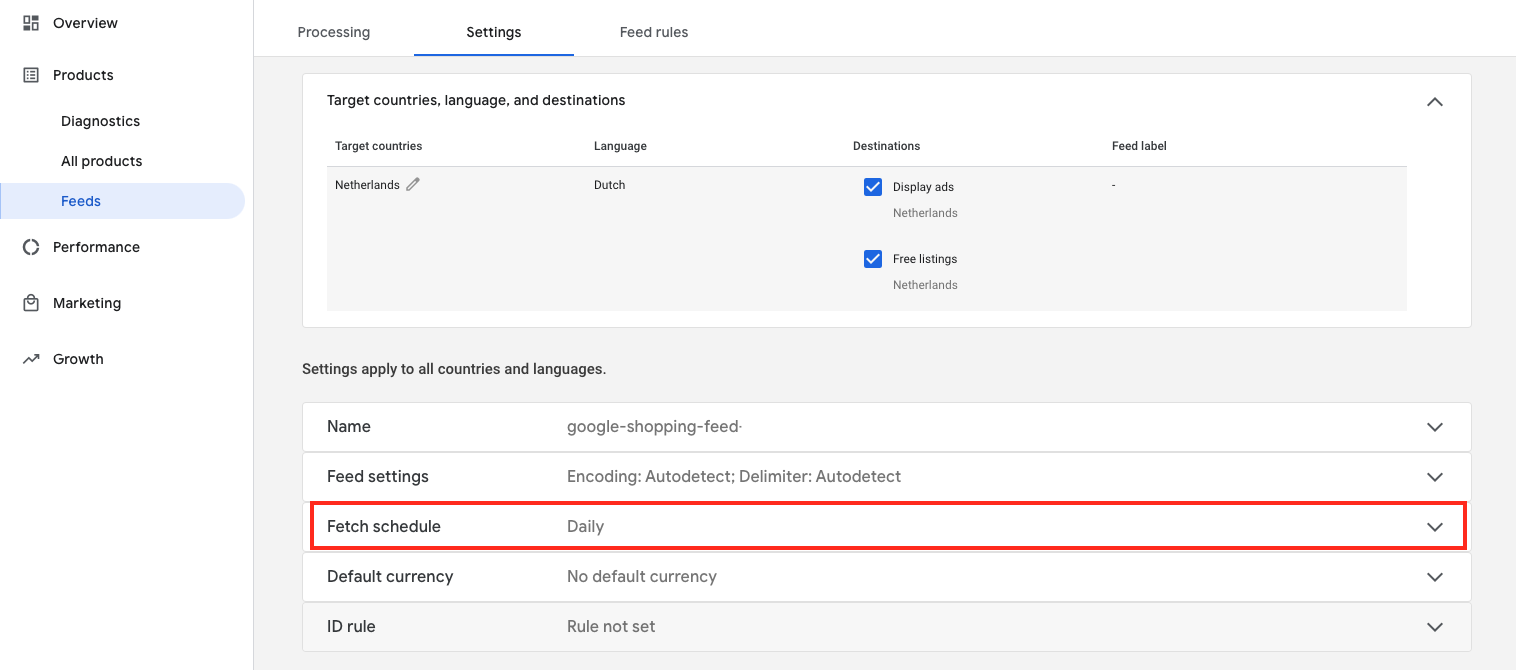
5. Role a página para baixo e clique em “Buscar programação”
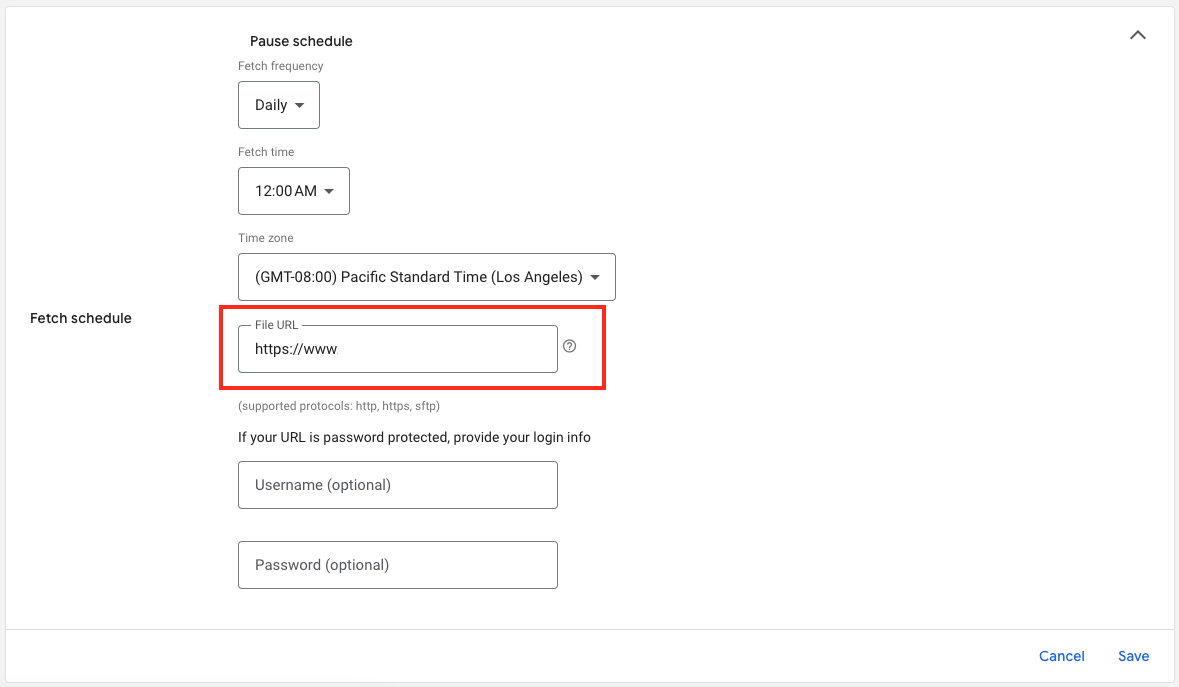
6. E aqui está o URL do seu arquivo de feed:

Download the full guide

Get the PDF version and keep the checklist close while you work through setup.

Want help choosing the right Shopping setup?

Talk to our team and we will recommend the right path for your store, market, and product feed.

Talk to our team