Skip to content

Ako nájdem URL svojho feedu v Google Merchant Center?

Shoparize E-commerce growth team
Download PDF Read below

Introduction

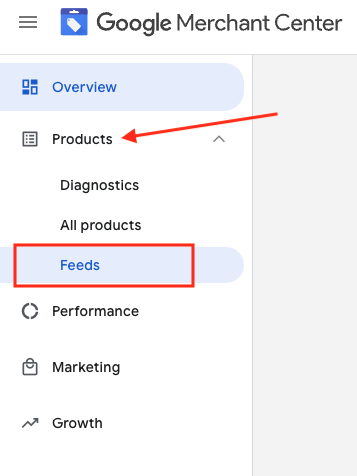
1. Prihláste sa do svojho účtu Google Merchant 2. Na ľavej strane prejdite na „Products“ a potom na „Feeds“
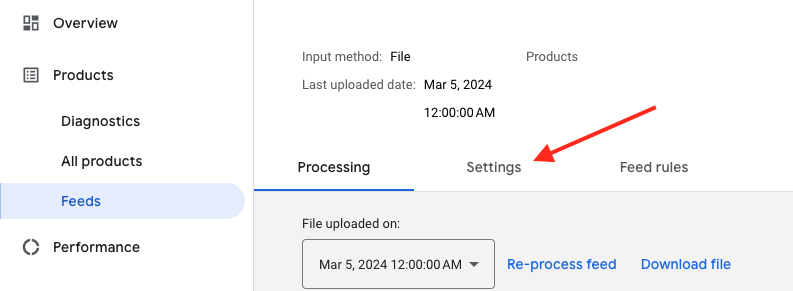
3. Nájdite feed, ktorý chcete skontrolovať, a kliknite na jeho názov zobrazený modrou farbou

4. Prejdite na kartu Nastavenia.
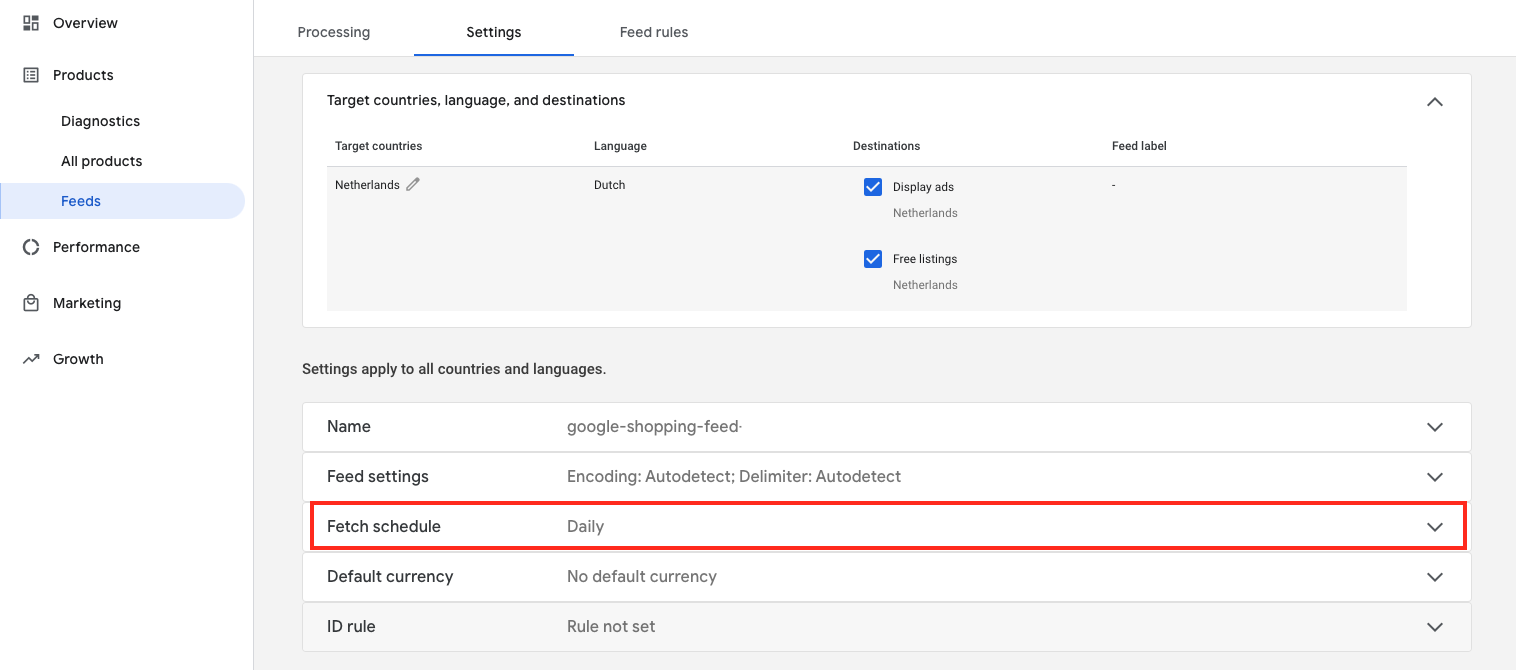
5. Posuňte sa nadol a kliknite na „Fetch schedule“
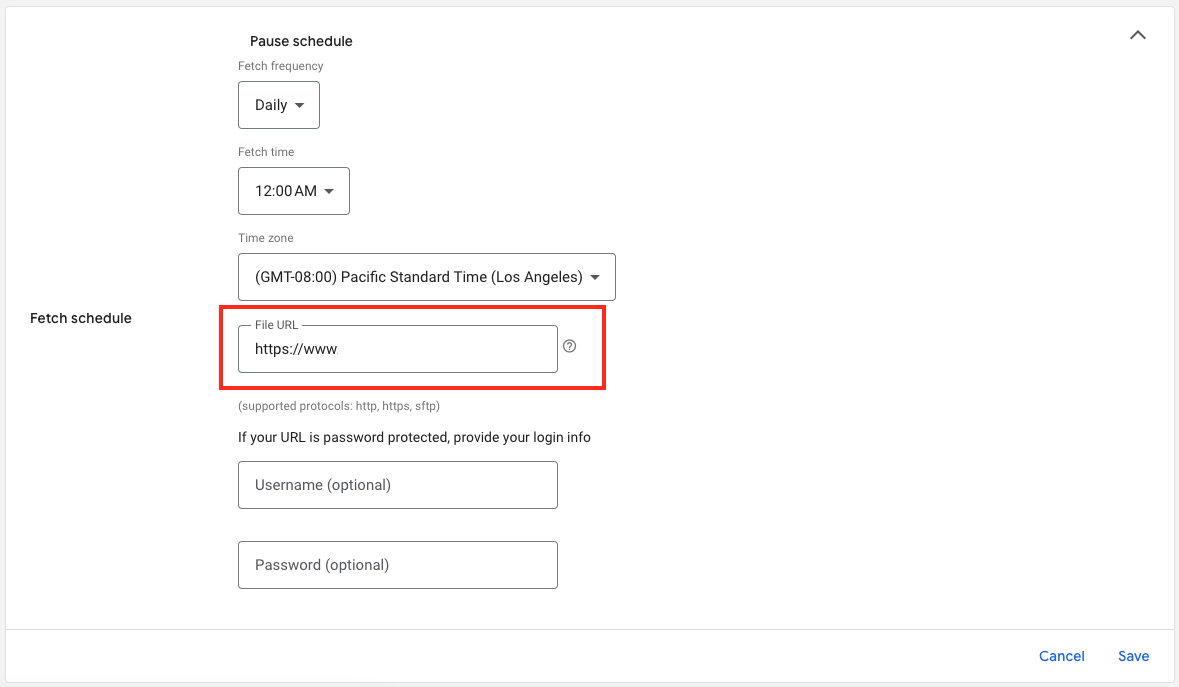
6. A tu je URL adresa vášho súboru feedu:

Download the full guide

Get the PDF version and keep the checklist close while you work through setup.

Want help choosing the right Shopping setup?

Talk to our team and we will recommend the right path for your store, market, and product feed.

Talk to our team