Skip to content

Comment puis-je trouver l’URL de mon flux dans mon Google Merchant Center ?

Shoparize E-commerce growth team
Download PDF Read below

Introduction

1. Connectez-vous à votre compte Google Merchant 2. Dans le menu de gauche, allez dans « Produits », puis cliquez sur « Flux »
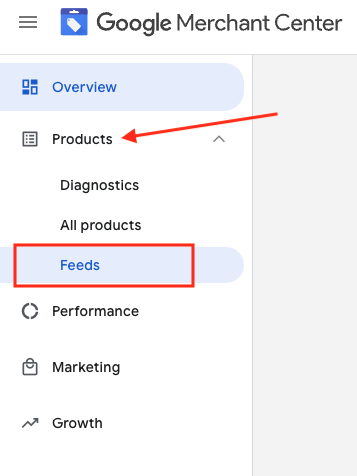
3. Repérez le flux que vous souhaitez vérifier et cliquez sur son nom en bleu

4. Accédez à l’onglet Paramètres.
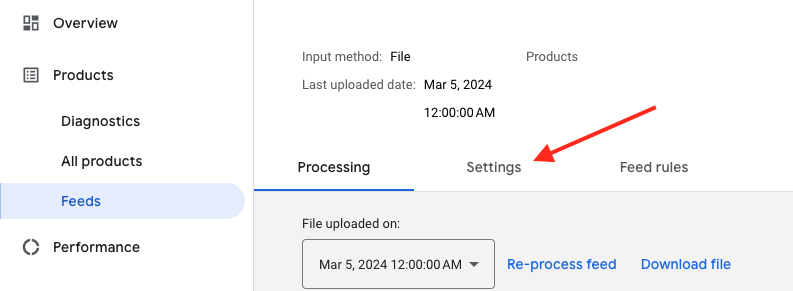
5. Faites défiler vers le bas et cliquez sur « Récupérer le planning »
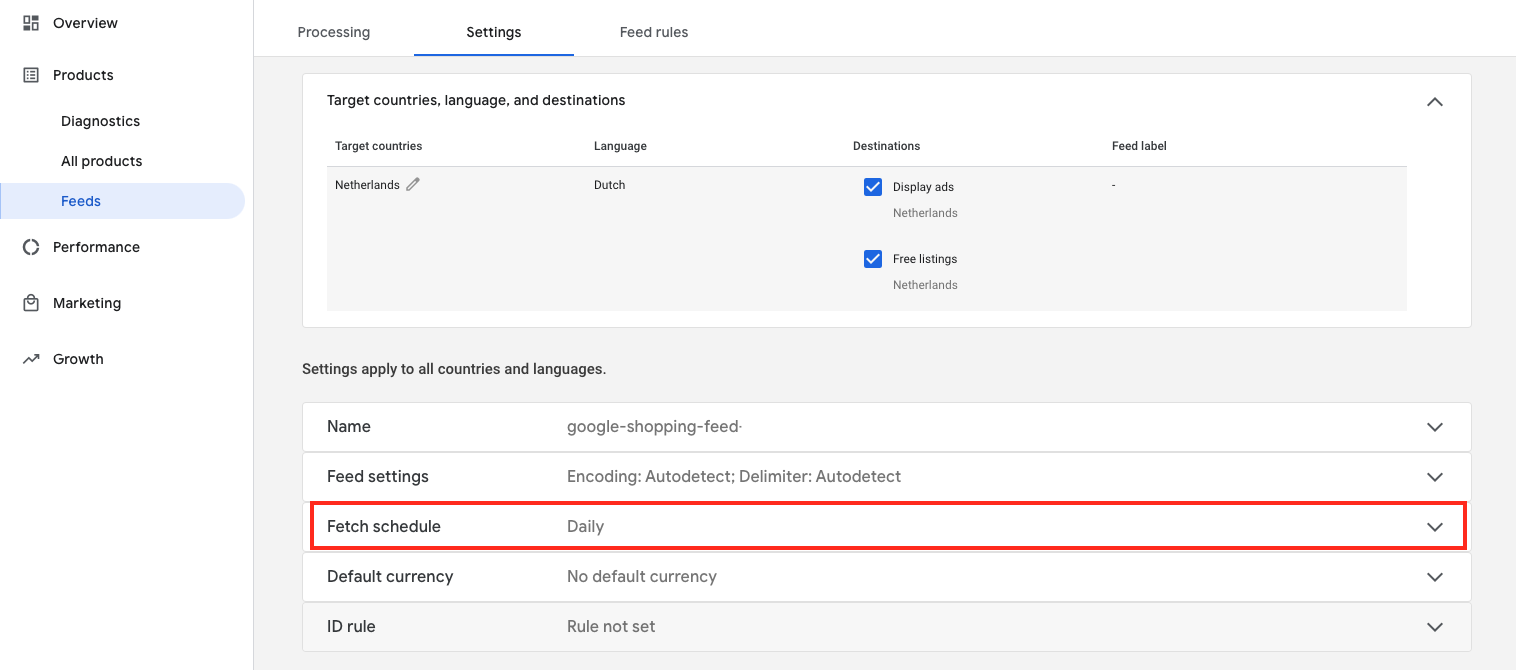
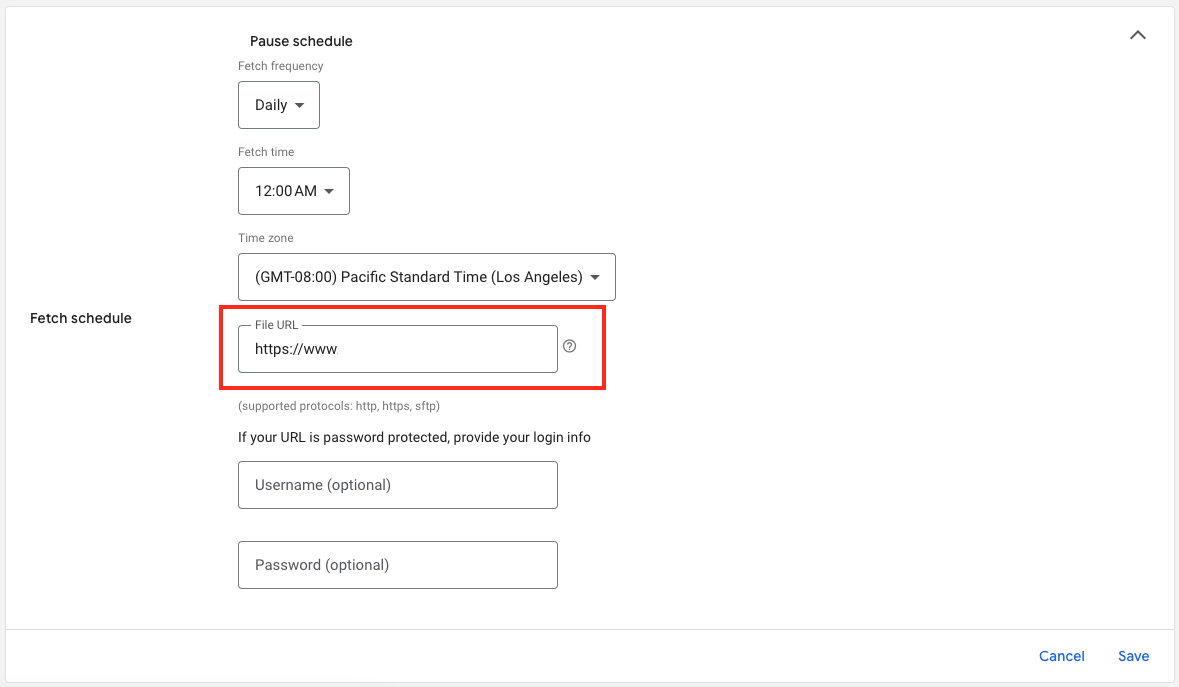
6. Et voici l’URL de votre fichier de flux :

Download the full guide

Get the PDF version and keep the checklist close while you work through setup.

Want help choosing the right Shopping setup?

Talk to our team and we will recommend the right path for your store, market, and product feed.

Talk to our team