Skip to content

Hvordan finder jeg min feed-URL i mit Google Merchant Center?

Shoparize E-commerce growth team
Download PDF Read below

Introduction

1. Log ind på din Google Merchant-konto 2. Gå til “Produkter” i menuen til venstre, og vælg derefter “Feeds”
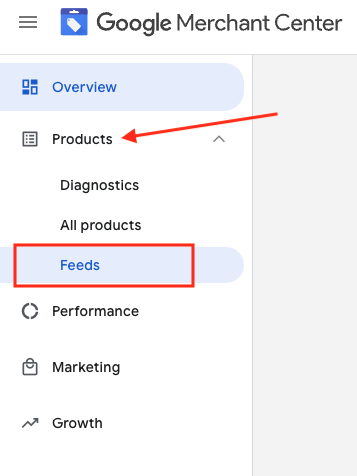
3. Find det feed, du vil tjekke, og klik på feednavnet i blå

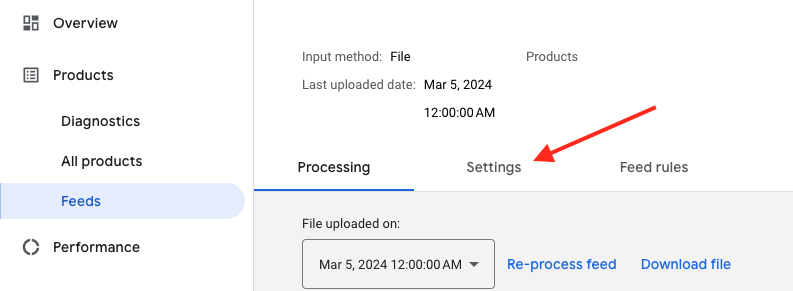
4. Gå til fanen Settings.
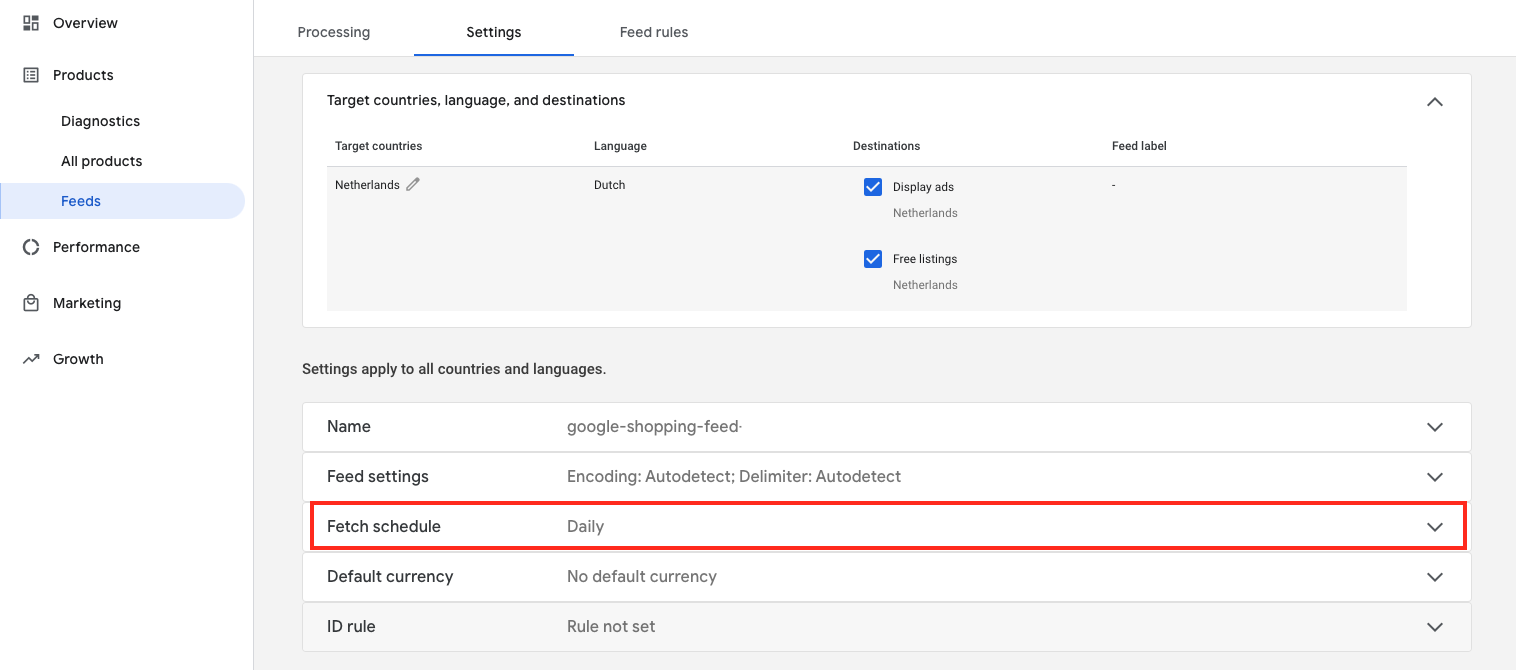
5. Rul ned, og klik på "Hent tidsplan"
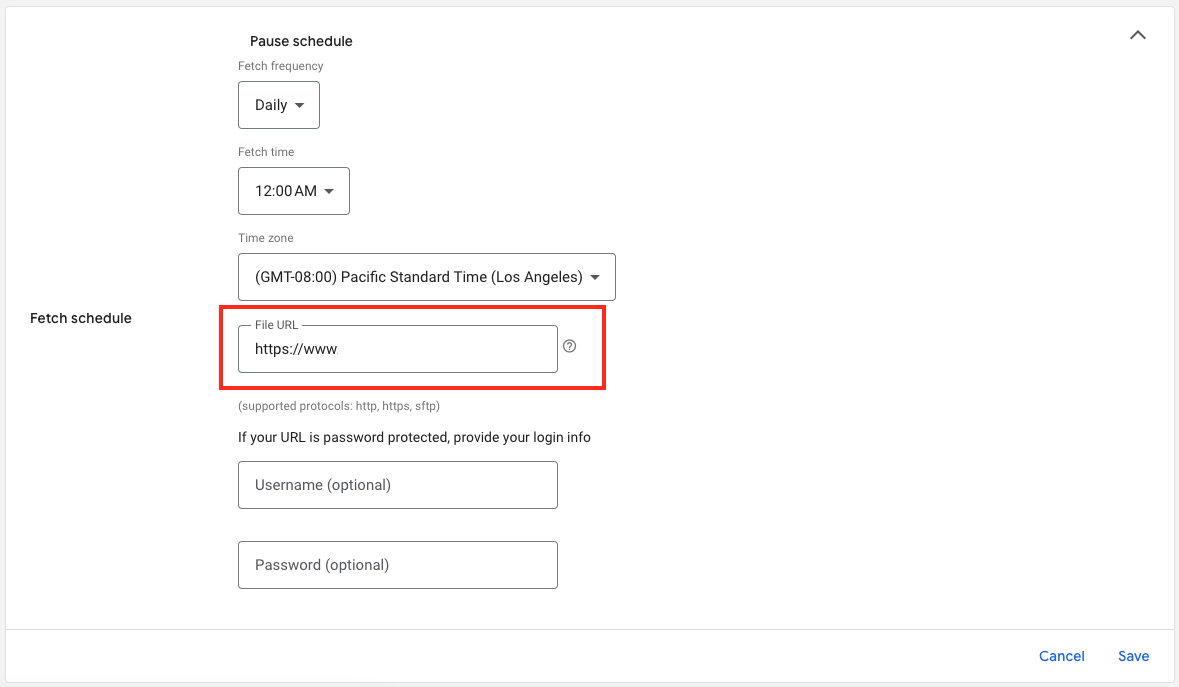
6. Og her er URL'en til din feed-fil:

Download the full guide

Get the PDF version and keep the checklist close while you work through setup.

Want help choosing the right Shopping setup?

Talk to our team and we will recommend the right path for your store, market, and product feed.

Talk to our team