Skip to content

¿Cómo puedo encontrar la URL de mi feed en mi Google Merchant Center?

Shoparize E-commerce growth team
Download PDF Read below

Introduction

1. Inicia sesión en tu cuenta de Google Merchant 2. En el menú de la izquierda, ve a «Productos» y luego a «Feeds»
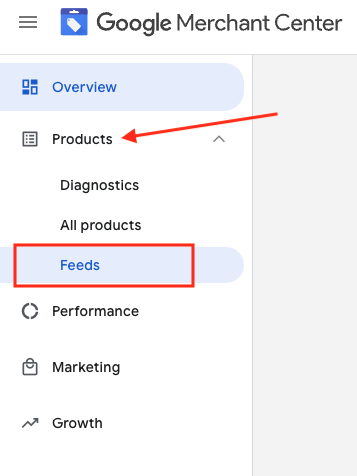
3. Busca el feed que quieras revisar y haz clic en el nombre del feed en azul

4. Ve a la pestaña Configuración.
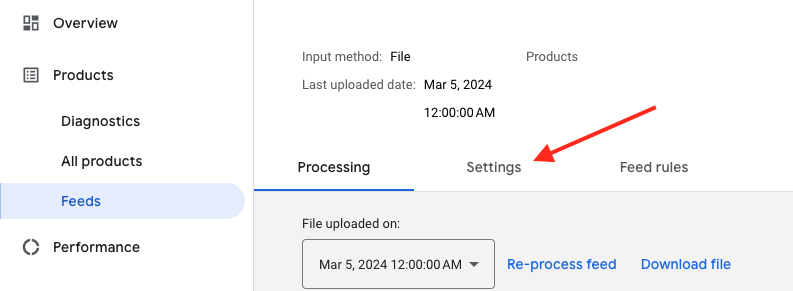
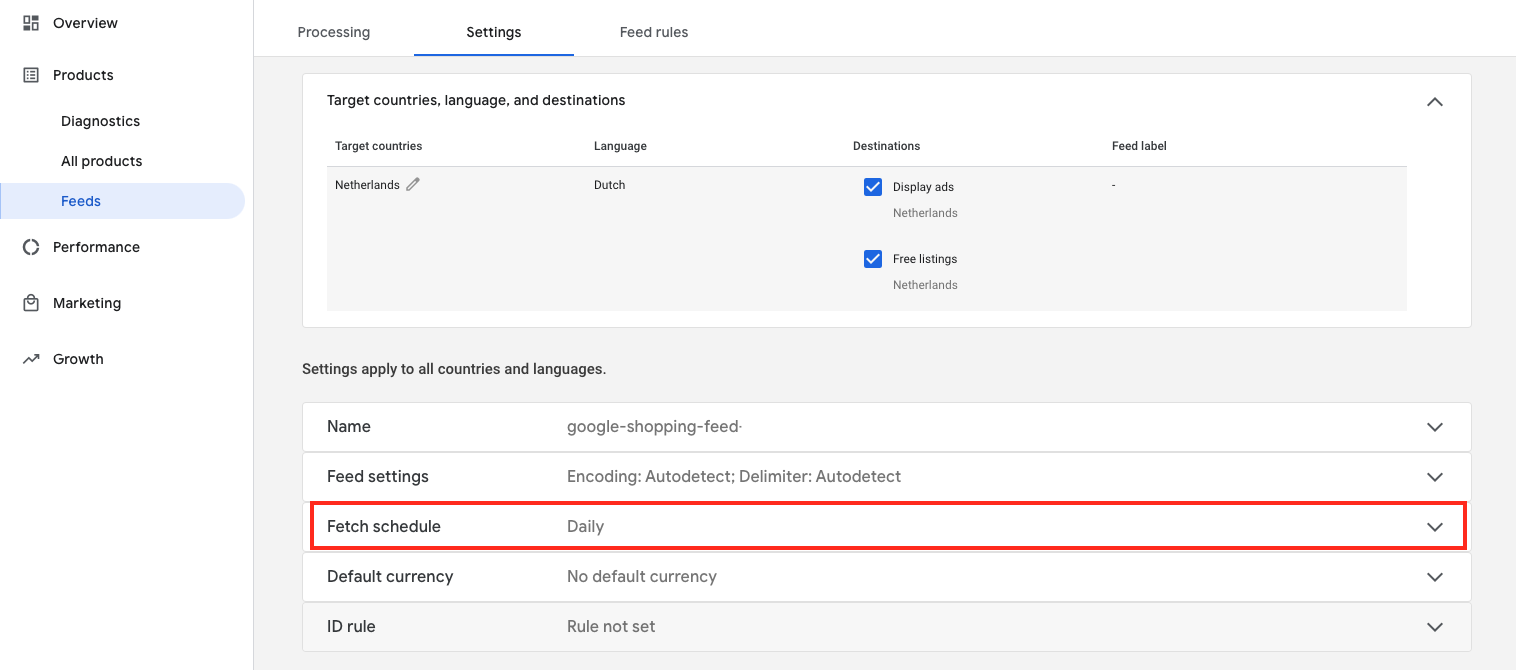
5. Desplázate hacia abajo y haz clic en «Obtener programación»
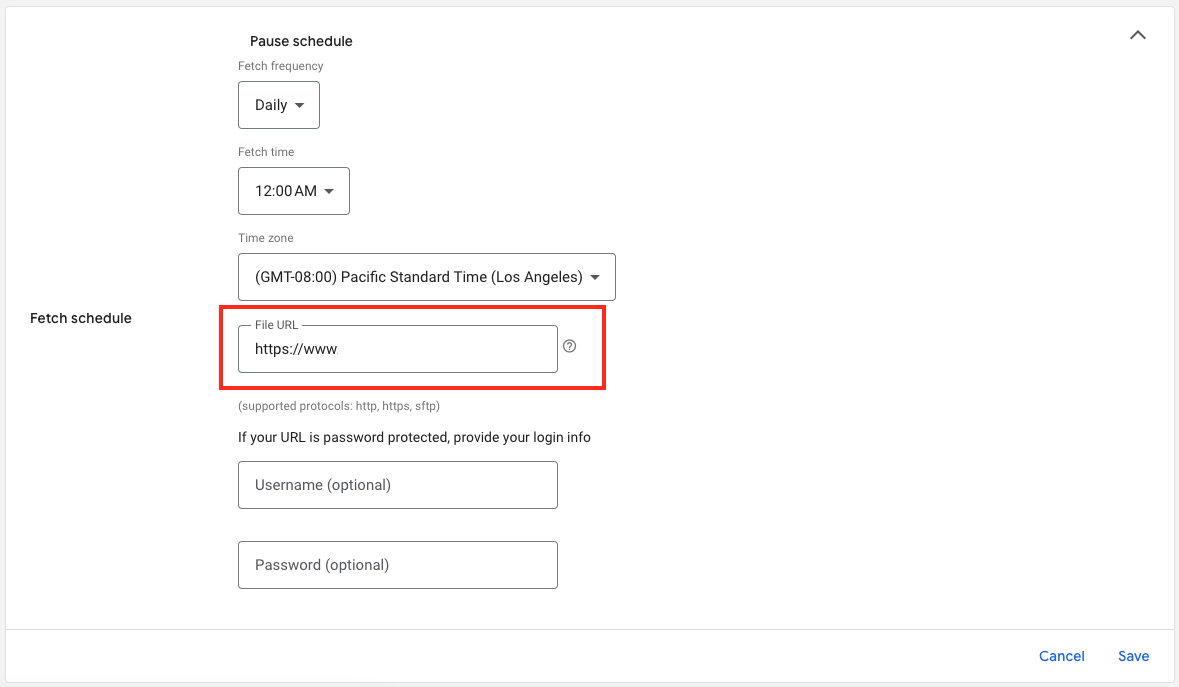
6. Y aquí tienes la URL del archivo de tu feed:

Download the full guide

Get the PDF version and keep the checklist close while you work through setup.

Want help choosing the right Shopping setup?

Talk to our team and we will recommend the right path for your store, market, and product feed.

Talk to our team