Skip to content

Hogyan találom meg a Feed URL-címemet a Google Merchant Centerben?

Shoparize E-commerce growth team
Download PDF Read below

Introduction

1. Jelentkezzen be a Google Merchant-fiókjába 2. A bal oldali menüben válassza a „Products” menüpontot, majd lépjen a „Feeds” oldalra
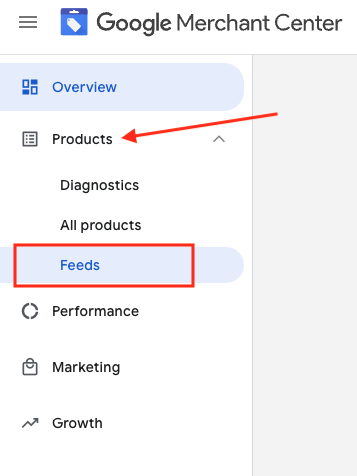
3. Keresd meg a feedet, amelyet ellenőrizni szeretnél, és kattints a kék színnel jelölt feednévre

4. Lépjen a Beállítások fülre.
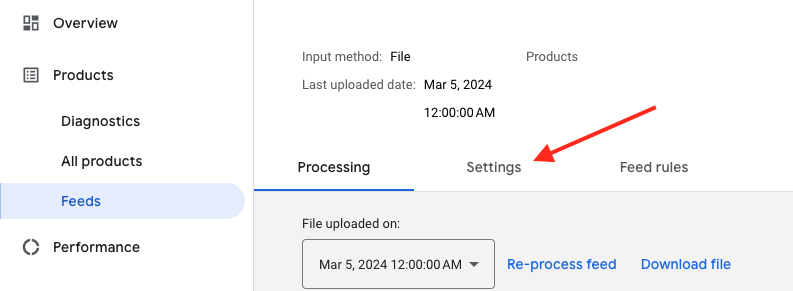
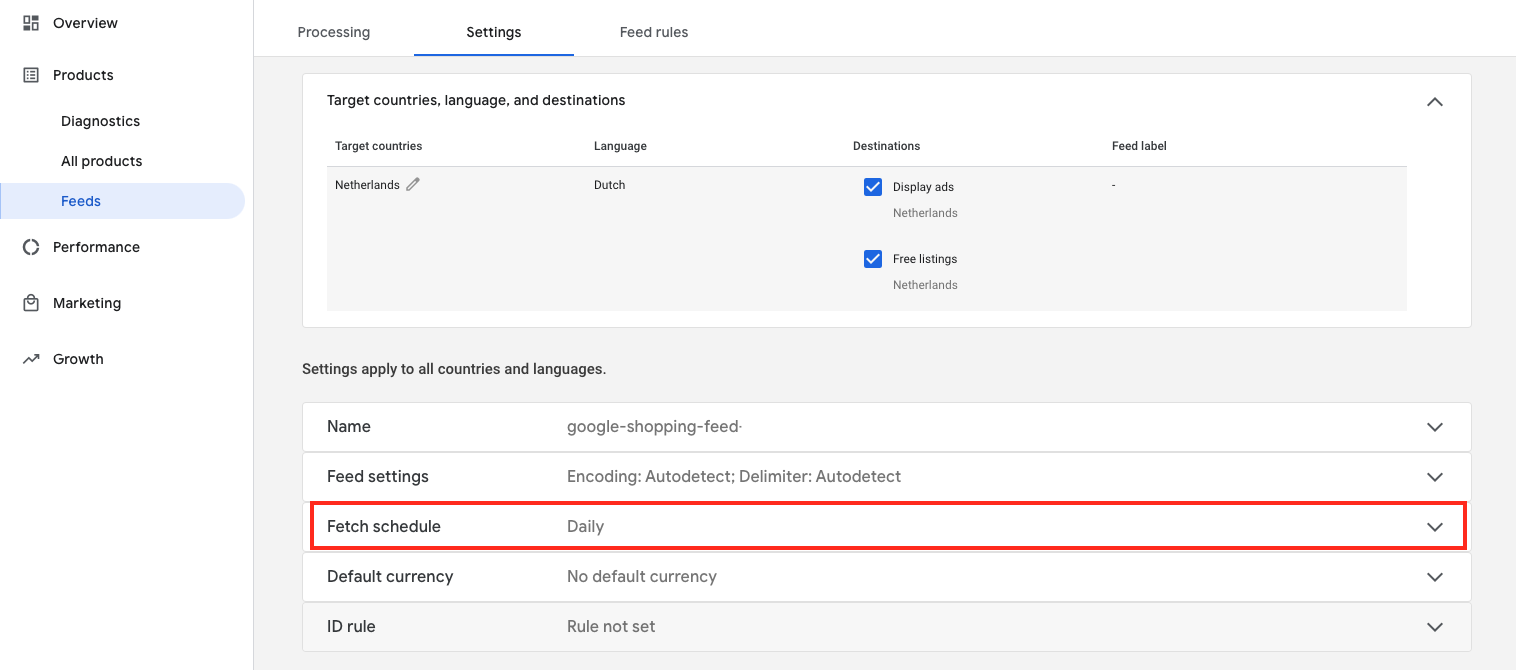
5. Görgess lefelé, és kattints a „Fetch schedule” gombra
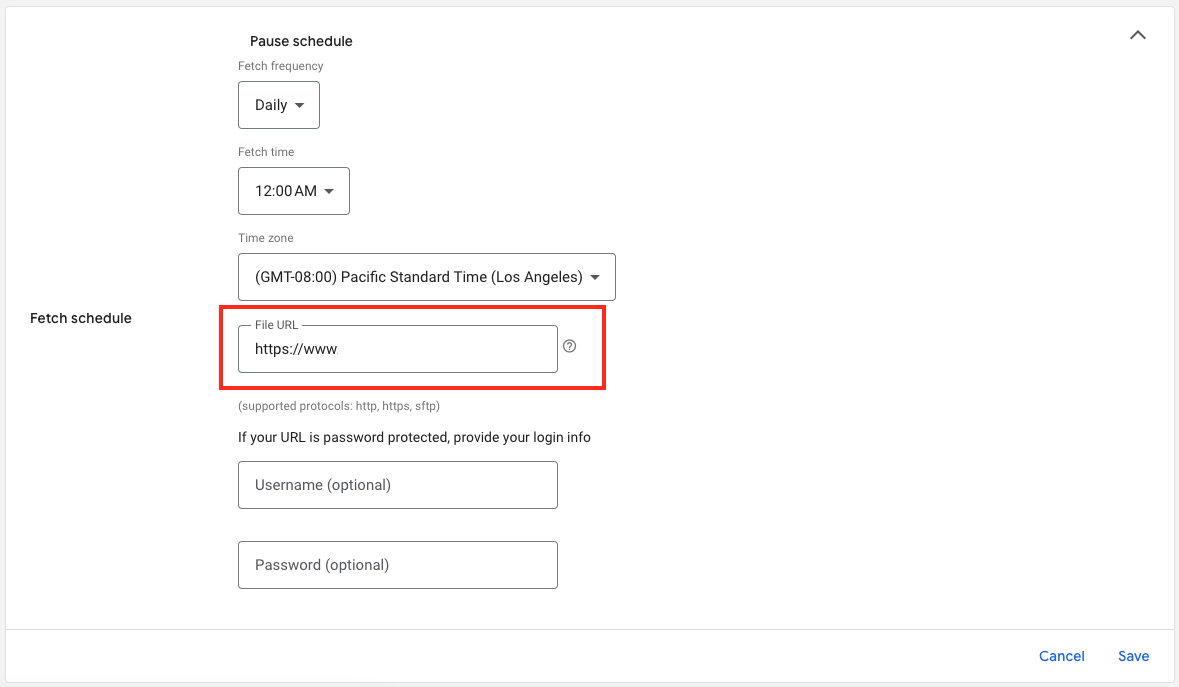
6. És itt találja a feed fájl URL-címét:

Download the full guide

Get the PDF version and keep the checklist close while you work through setup.

Want help choosing the right Shopping setup?

Talk to our team and we will recommend the right path for your store, market, and product feed.

Talk to our team