Skip to content

Hoe vind ik mijn feed-URL in mijn Google Merchant Center?

Shoparize E-commerce growth team
Download PDF Read below

Introduction

1. Log in op je Google Merchant-account 2. Navigeer aan de linkerkant naar "Producten" en ga naar "Feeds"
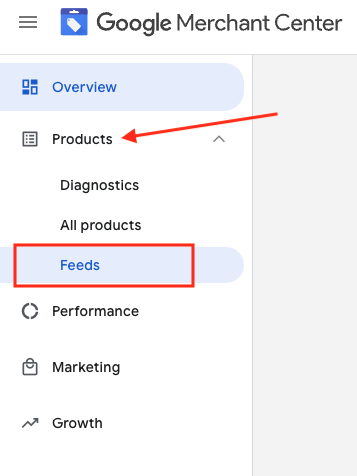
3. Zoek de feed die je wilt controleren en klik op de feednaam in het blauw

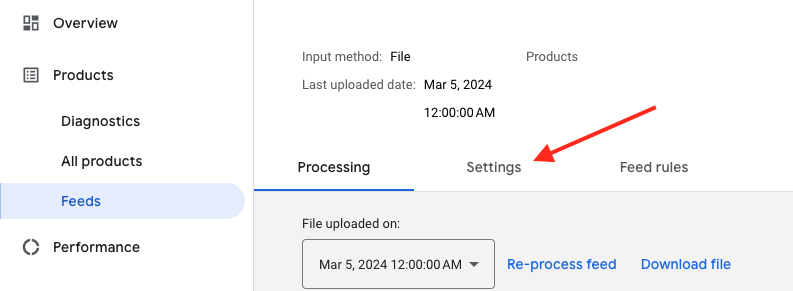
4. Ga naar het tabblad Instellingen.
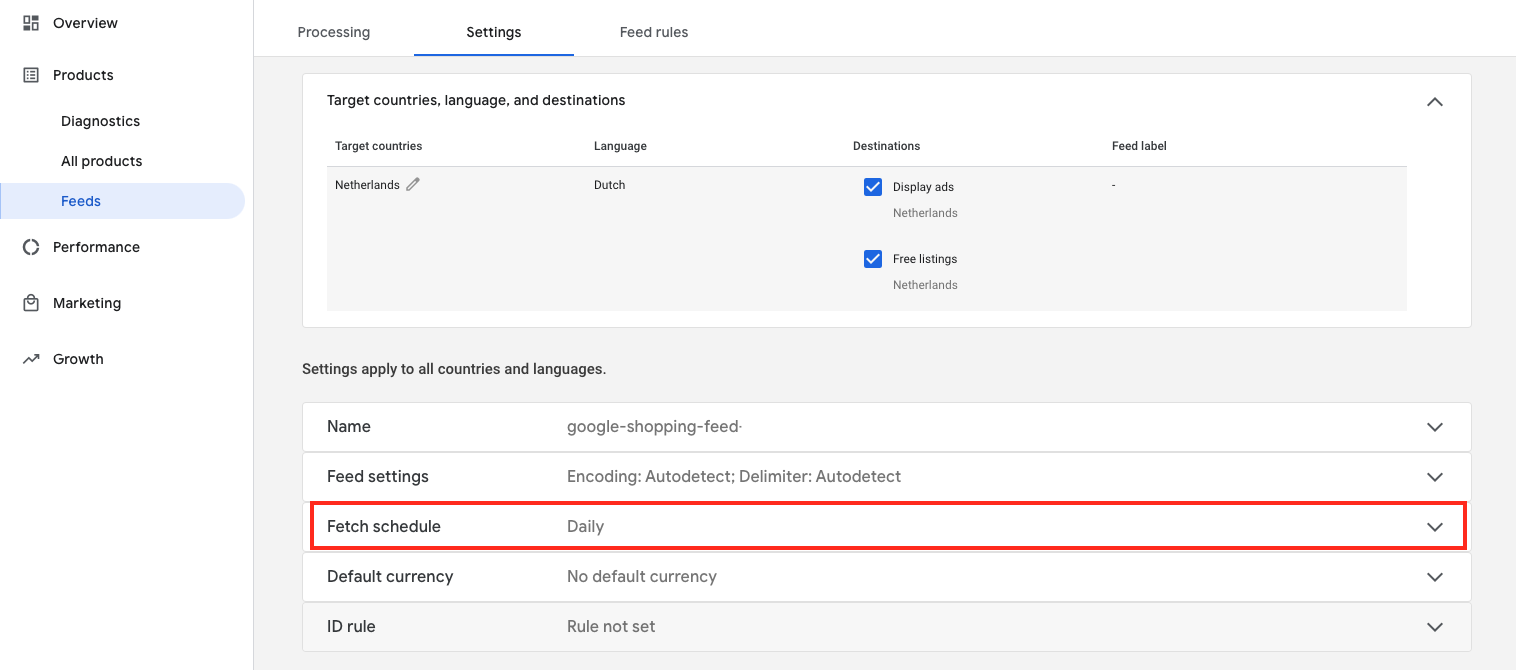
5. Scroll naar beneden en klik op "Schema ophalen"
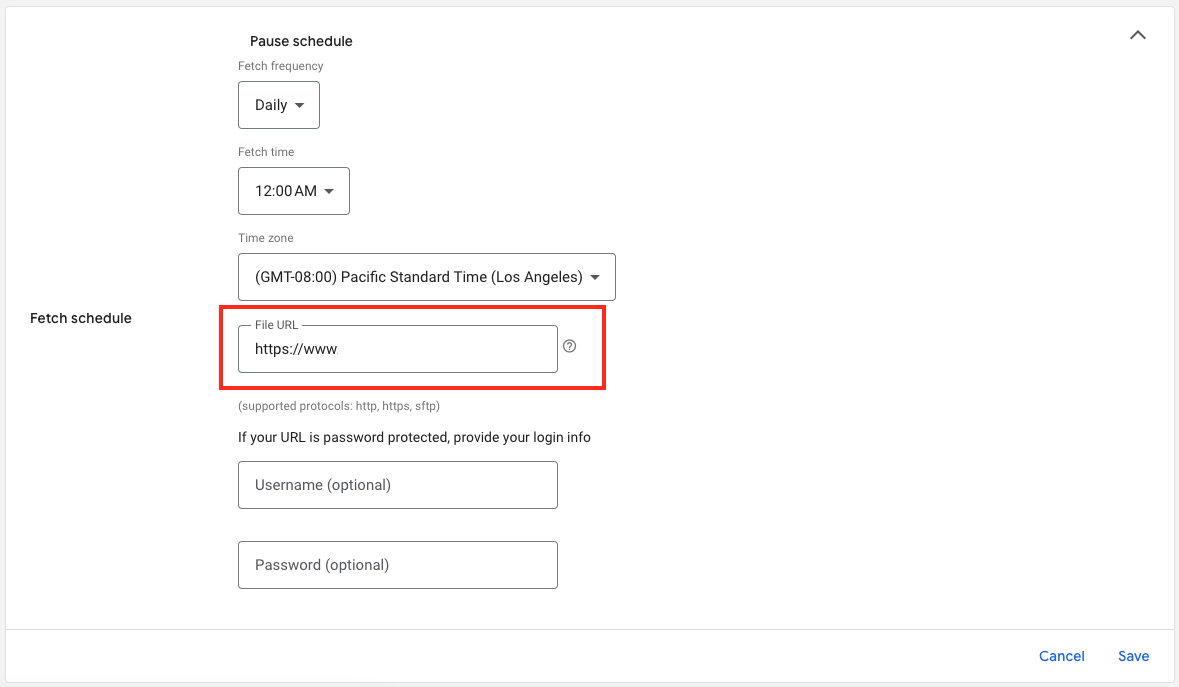
6. En hier is de URL van je feedbestand:

Download the full guide

Get the PDF version and keep the checklist close while you work through setup.

Want help choosing the right Shopping setup?

Talk to our team and we will recommend the right path for your store, market, and product feed.

Talk to our team