


Introduction
As recently announced by the platform, Shopify additional scripts are getting deprecated and won’t be supported after August 28, 2025. We created this manual to check the settings of your shopify store and migrate your Shoparize Partner Integration to using our Shopify Pixel.
Check your current pixel configuration
Firstly, please check your current configuration of Shopify Pixels. You might already be using this type of integration right now (Shoparize Partner Integration) and can disregard the email you received. Go to Shopify Admin -> Settings -> Customer events:
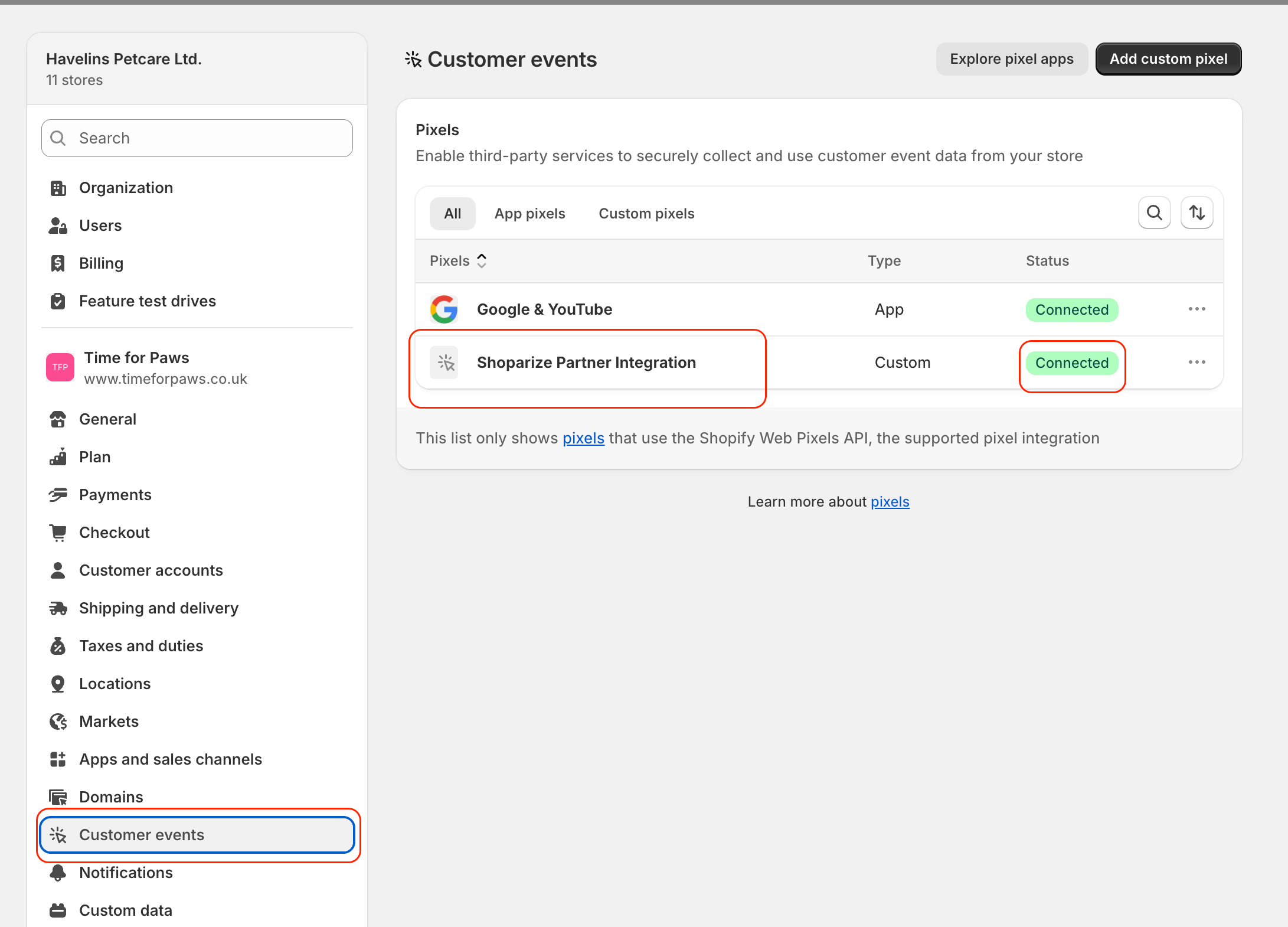
If you see the Shoparize Partner Integration pixel and the pixel has a connected status. It means that your integration is created using last requirements and you do not need to change anything.
If you do not have created the Shoparize Partner Integration pixel, you can easily do it by following the instructions on How to add the Shoparize Integration by Shopify Pixel.
Remove the old init tag
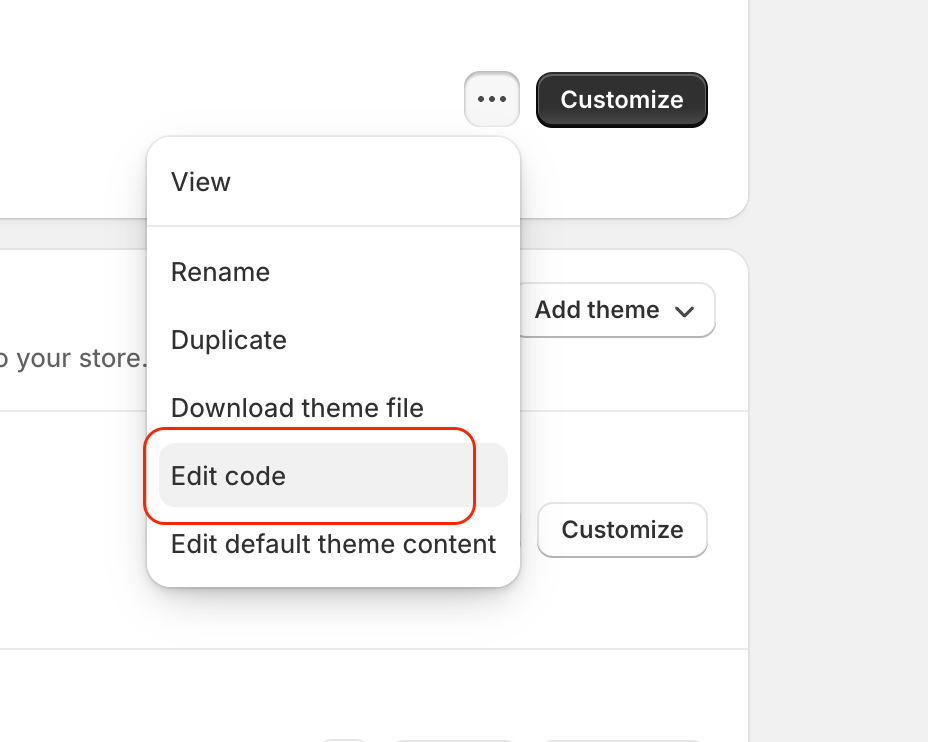
Once you changed the integration, you will need to remove the old init and purchase tags. For the init tag, go to Shopify Admin -> Online store -> Themes, and click on Edit Code button:
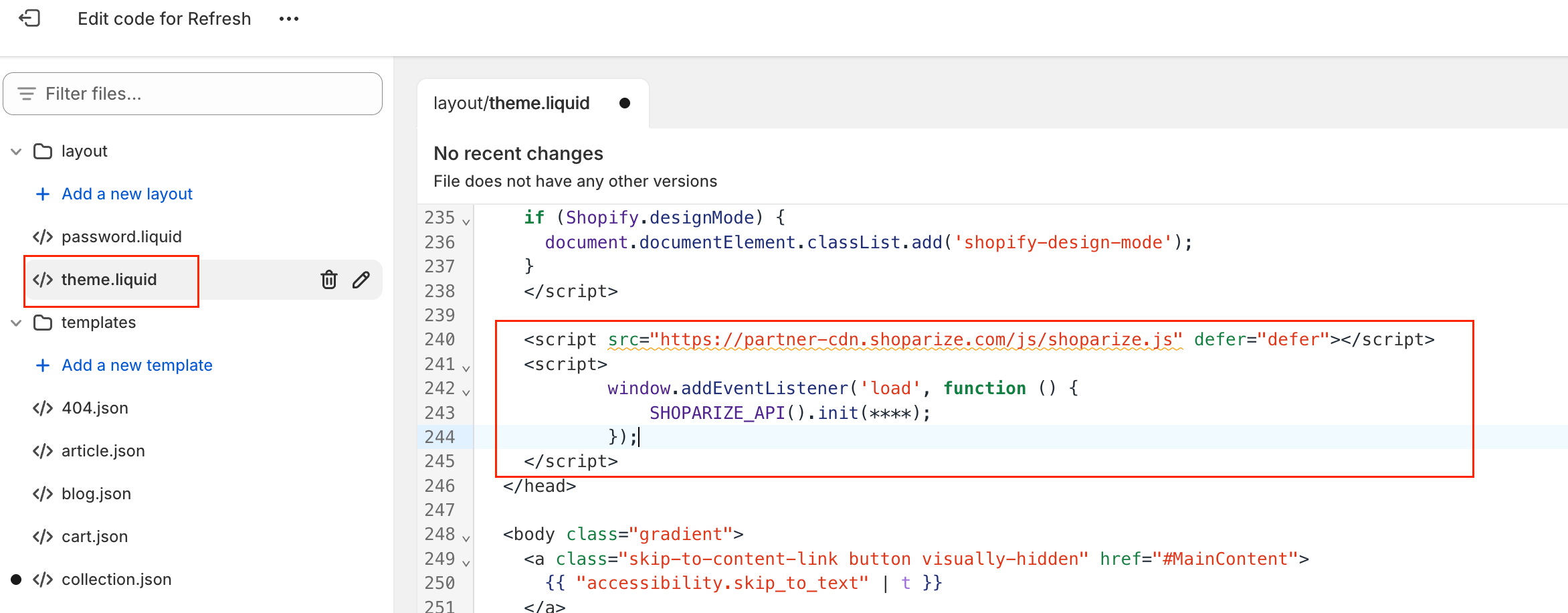
On the left sidebar, click theme.liquid file, and find and remove the js code like in the example below:
Click the Save button.
Remove the old purchase tag
For the purchase tag, open a page that is placed in Settings -> Checkout, click Order status page additional scripts cart. Remove all code like the screenshots below.
Note: As variant you can see that the textarea is blocked, and you cannot to edit it. Do not worry, just skip the step. Shopify will remove the code after August 28.
The purchase snippet starts from this row:
<script src="https://partner-cdn.shoparize.com/js/shoparize.js" defer="defer"></script>
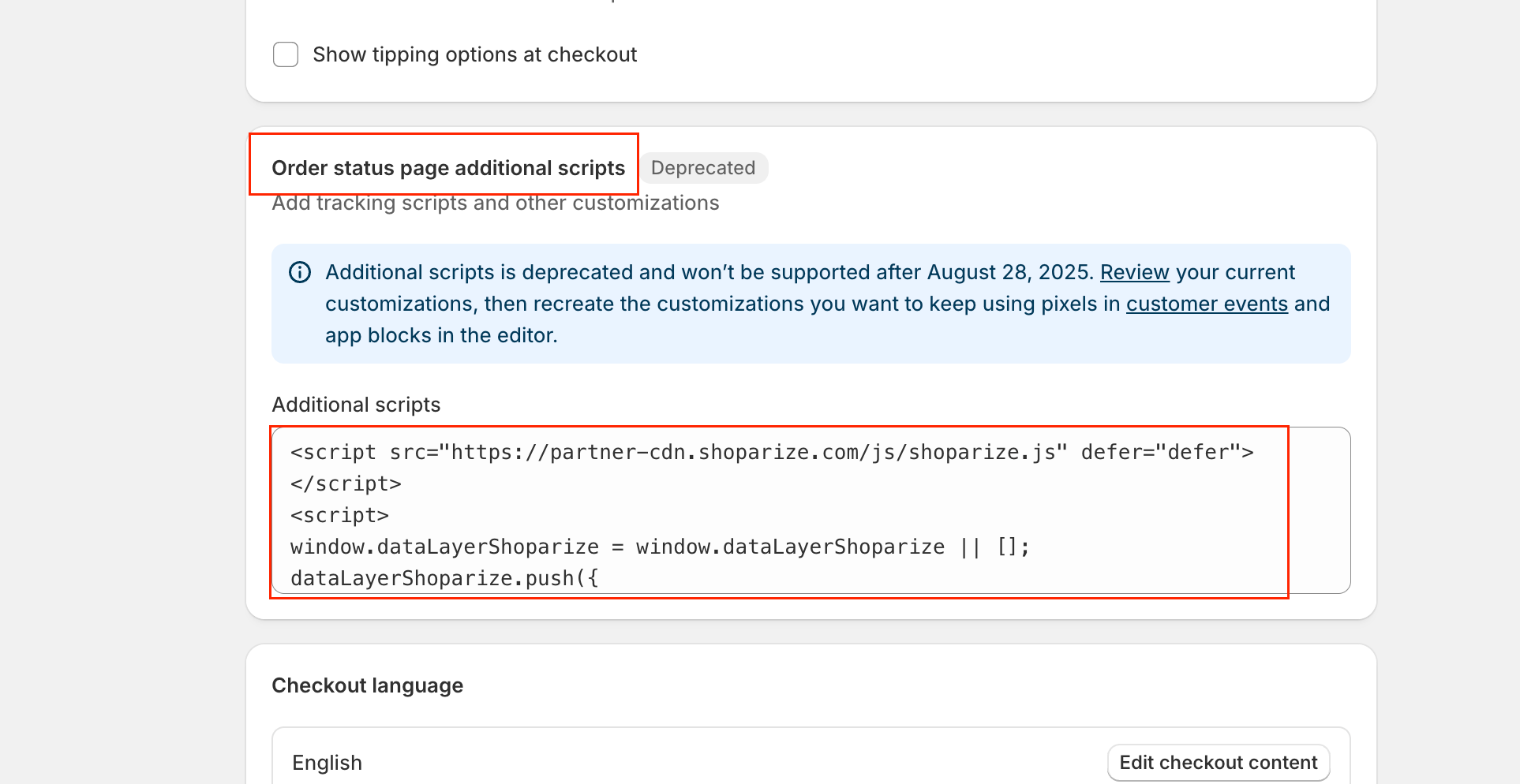
and finishes like the init tag:
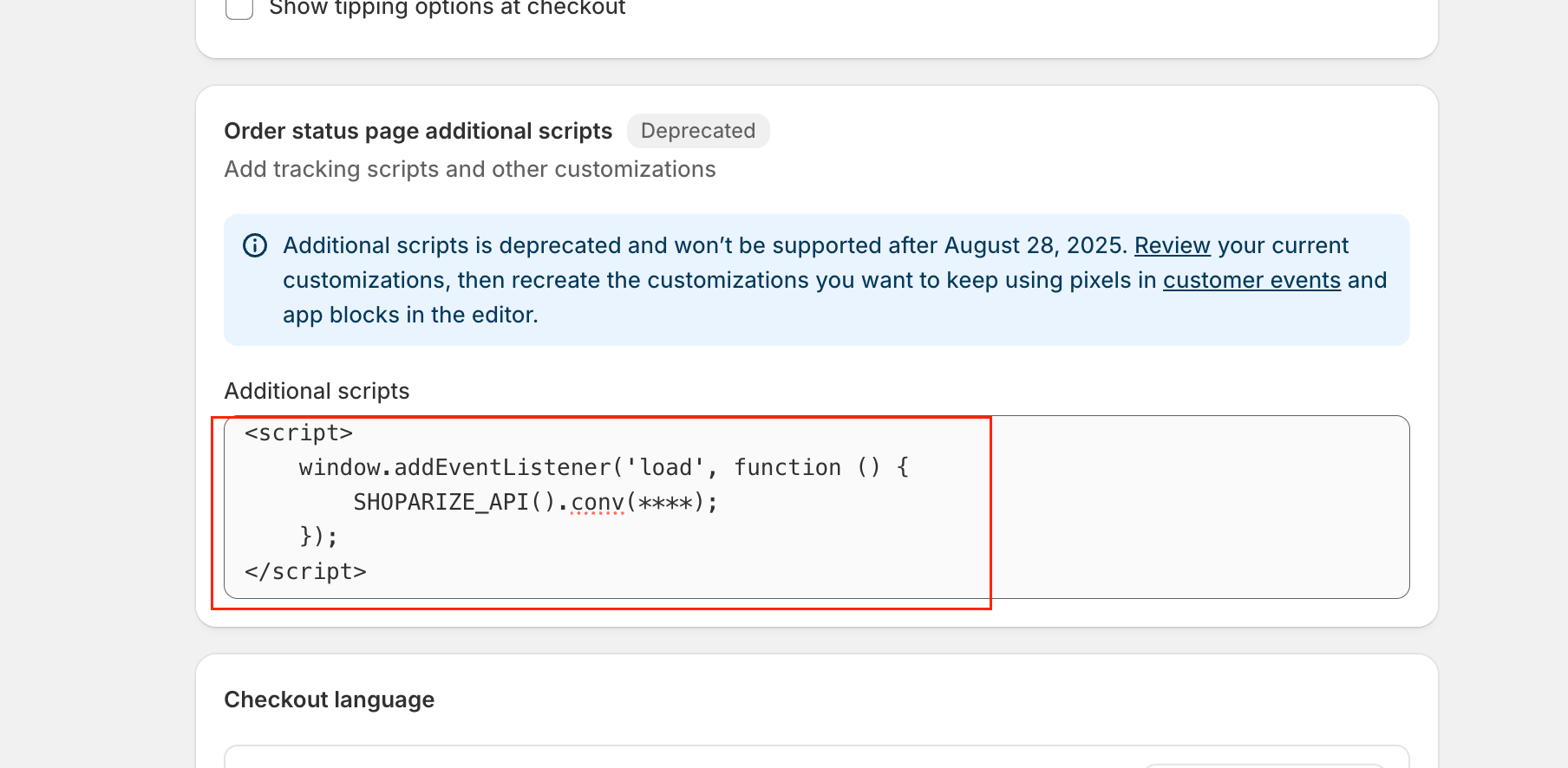
Click the Save button.
That’s it! The integration is done. Congrats 🙂
Test the integration
After executing the manual, you should create a test order using a link our Shoparize Partner support team has sent you. Please make sure to send the test order ID to partner@shoparize.com so we can double check if everything has been set up correctly.
