


Open the Script Manager
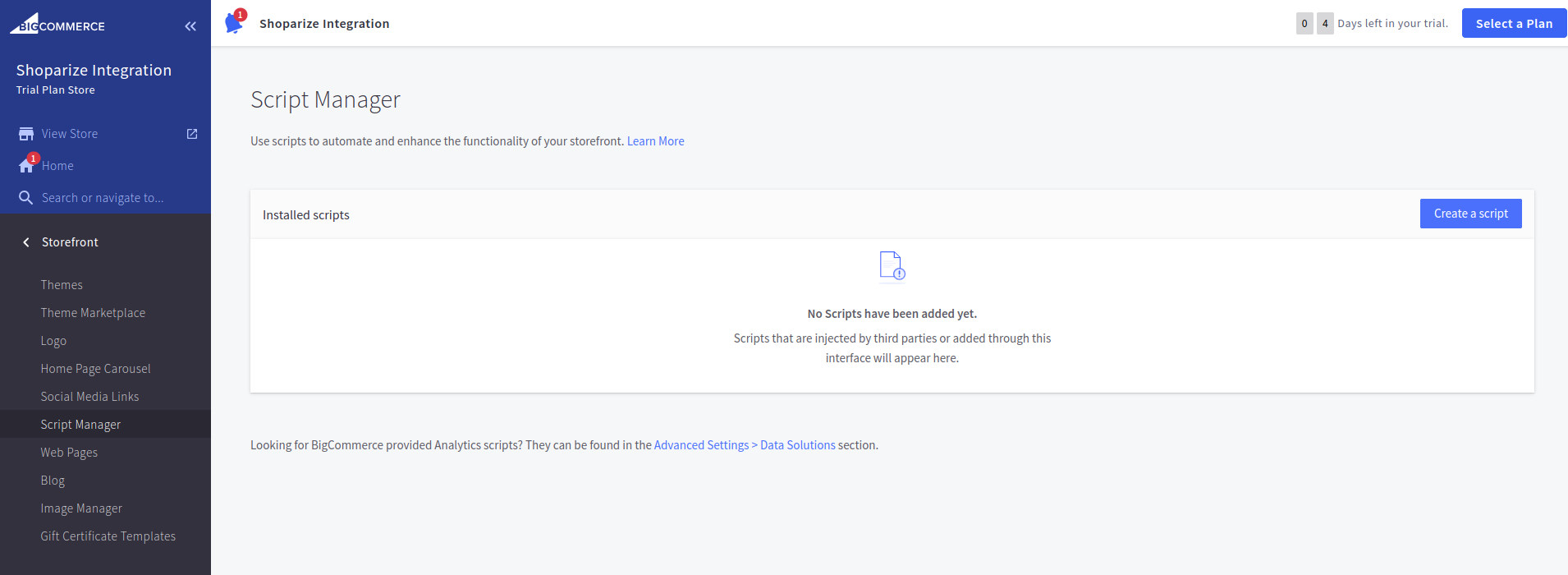
For start the integration just go to Storefront -> Script Manager:
Create the Shoparize Init Tag
In first need to create Shoparize Partner Init Tag. Click on create a script and fill as it is described at the screenshot:
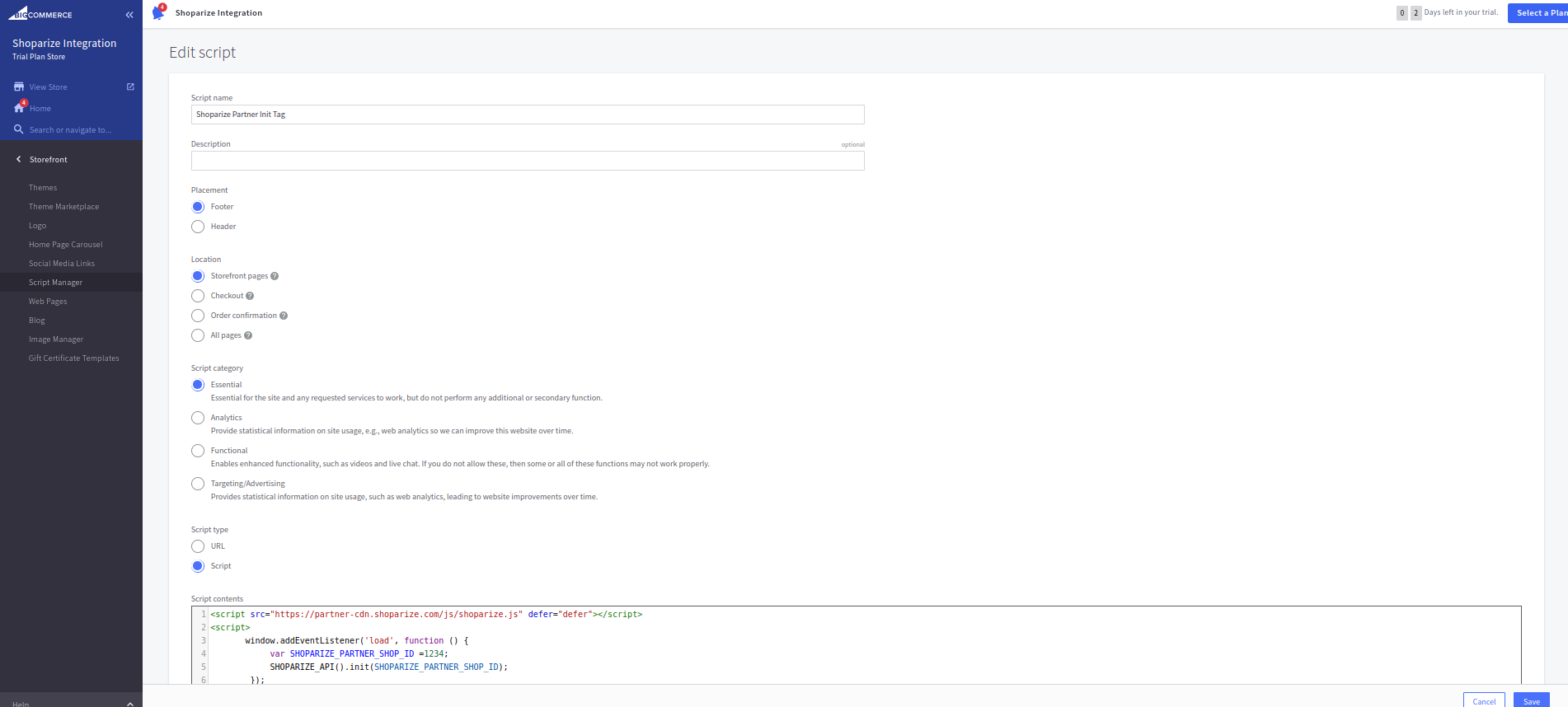
Location field must be filled using
Storefront pages option.
Script type must be
Script, and Script contents must be filled by the value:
                          <script src="https://partner-cdn.shoparize.com/js/shoparize.js" defer="defer"></script>
<script>
    window.addEventListener('load', function () {
       var SHOPARIZE_PARTNER_SHOP_ID =****;//instead of this value you should set up your shop ID
       SHOPARIZE_API().init(SHOPARIZE_PARTNER_SHOP_ID);
    });
</script>
You should set up your shop id in this row:
var SHOPARIZE_PARTNER_SHOP_ID =****;//instead of this value you should set up your shop ID
For example if your shop ID is 1234 it must look like this:
var SHOPARIZE_PARTNER_SHOP_ID =1234;//instead of this value you should set up your shop ID
After filling fields, set up your shop ID. Save it, please
Create the Shoparize Purchase Tag
Second it’s Shoparize Partner Purchase Tag. Click on create a script and fill all fields as it is described at the screenshot:
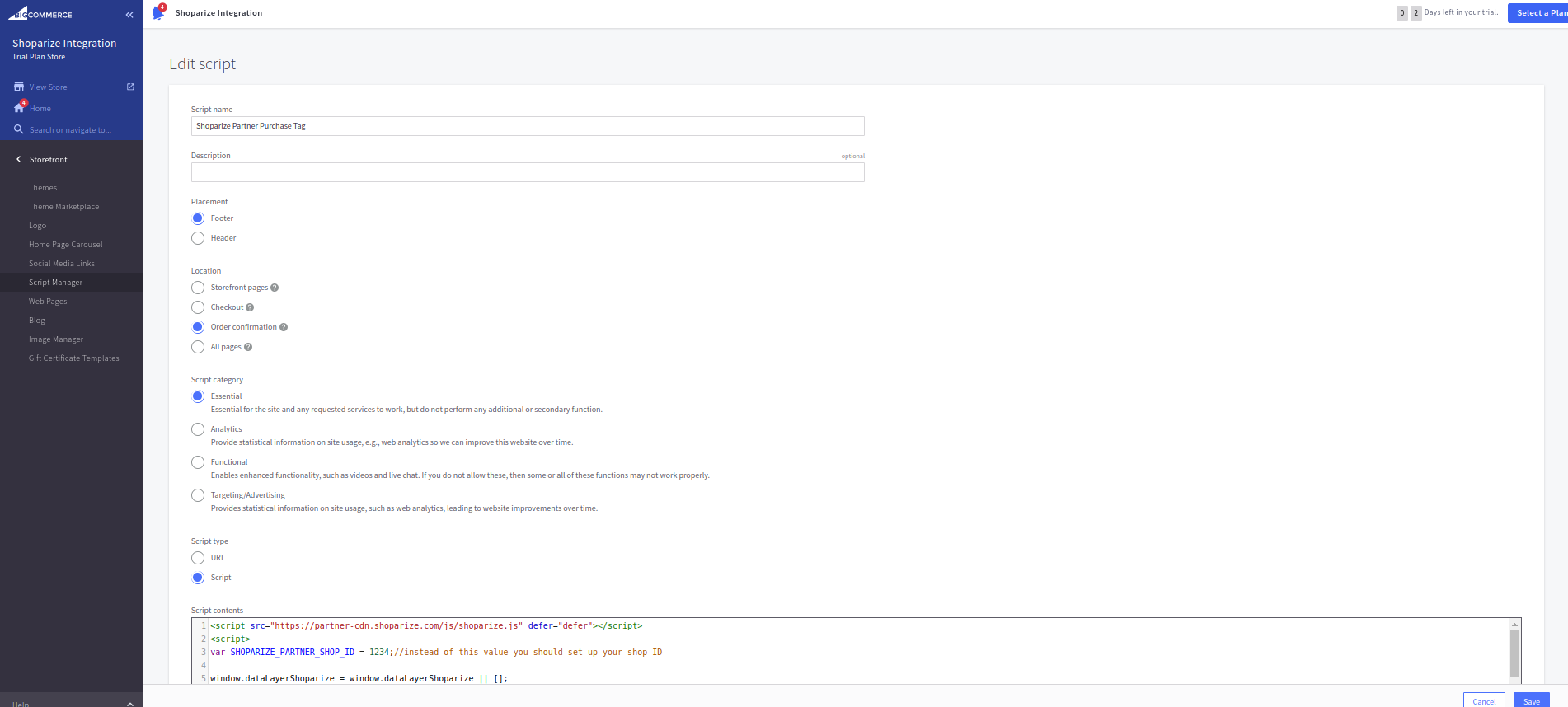
Location field must be filled using Order confirmation option. Script type must be Script, and Script contents must be filled by the value:
                          <script src="https://partner-cdn.shoparize.com/js/shoparize.js" defer="defer"></script>
<script>

var SHOPARIZE_PARTNER_SHOP_ID =****;//instead of this value you should set up your shop ID

//do not touch the code bottom
window.dataLayerShoparize = window.dataLayerShoparize || [];

fetch('/api/storefront/order/{{checkout.order.id}}', {credentials: 'include'})
.then(function(response) {
 return response.json();
})
.then(function(order) {
 let orderItems = order.lineItems.physicalItems.concat(order.lineItems.digitalItems).concat(order.lineItems.giftCertificates);
 let items = [];
 orderItems.forEach(function(item) {
     items.push({
       item_id:     item.id,
       item_name:  item.name,
       currency:   order.currency.code,
       price:      item.salePrice,
       quantity:   item.quantity
     });
 });
 dataLayerShoparize.push({
     event: "purchase",
     ecommerce: {
       transaction_id: order.orderId,
       value:          order.orderAmount,
       tax:            order.taxTotal,
       shipping:       order.shippingCostTotal,
       currency:       order.currency.code,
       items:          items
   }
 });
 SHOPARIZE_API().conv(SHOPARIZE_PARTNER_SHOP_ID);
});
</script>
Do not forgot set up your shop id, as it was above:
var SHOPARIZE_PARTNER_SHOP_ID =****;//instead of this value you should set up your shop ID
For example if your shop ID is 1234 it must look like this:
var SHOPARIZE_PARTNER_SHOP_ID =1234;//instead of this value you should set up your shop ID
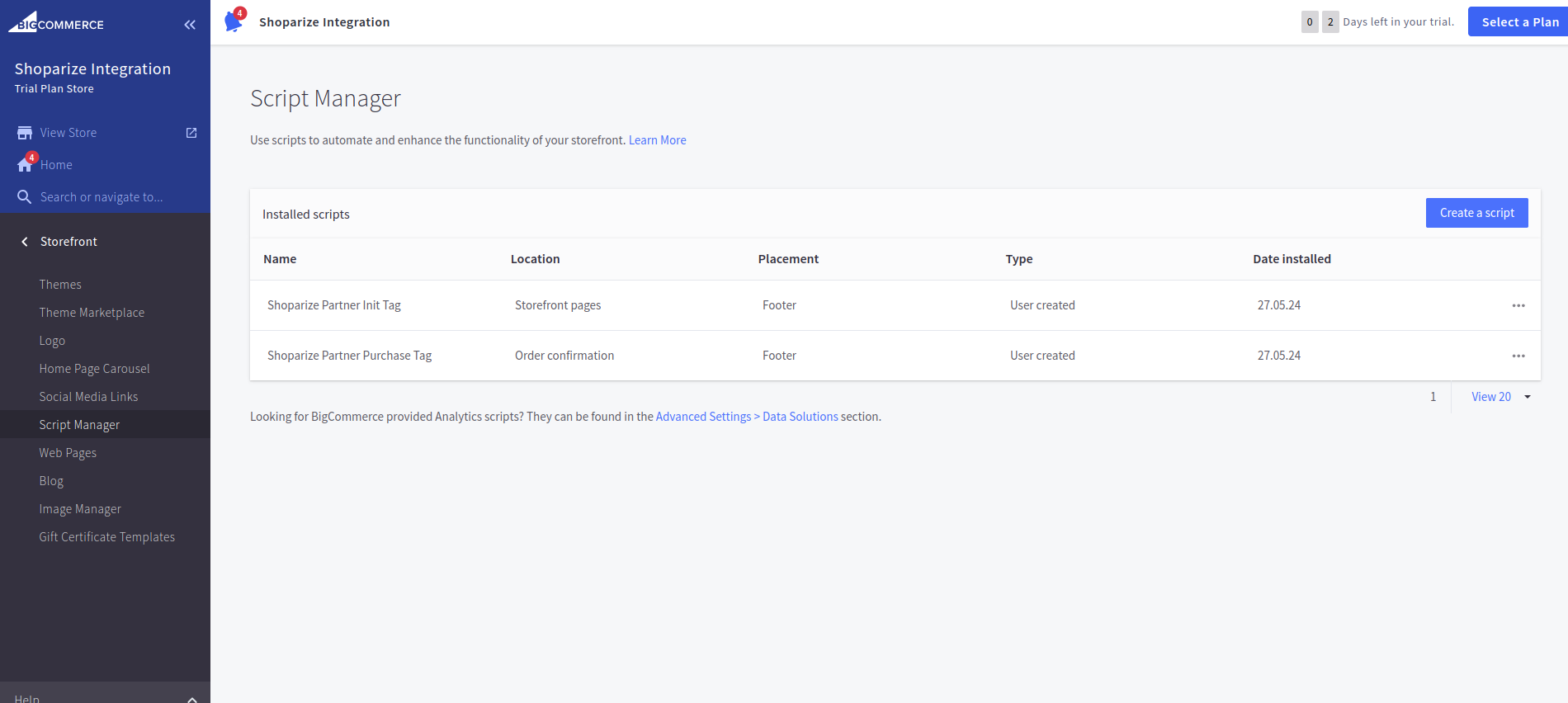
Click save, please. In finish result the scripts should looks as these:
Test the integration
After that create a test order using a link which Shoparize support team should give you.
