
Starting with Shoparize Managed Ads in the US
At Shoparize, we specialise in bringing our partners untapped revenue and increased website traffic by running and optimising Google Shopping campaigns transparently.
Our unique technology and market insights help power Google Shopping campaigns that boost your market share and generate incremental sales, all with a predictable cost structure.
We partner with merchants through a Cost-Per-Action (CPA) model with no upfront costs, no binding contracts, and no surprises. You only pay when we generate sales.
Onboarding as a US-based merchant to Shoparize takes just a few minutes. This tutorial will help you get it done!
Step 1: Partner up with Shoparize
First, sign up for Shoparize Managed Ads. There’s two distinct ways of working with us:
- Integrate directly with Shoparize. Get started in minutes by creating an account on partner.shoparize.com.
- Partner with us through an affiliate network. Simply add Shoparize (Comparison Shopping Service) ad partner to your affiliate program to get started.
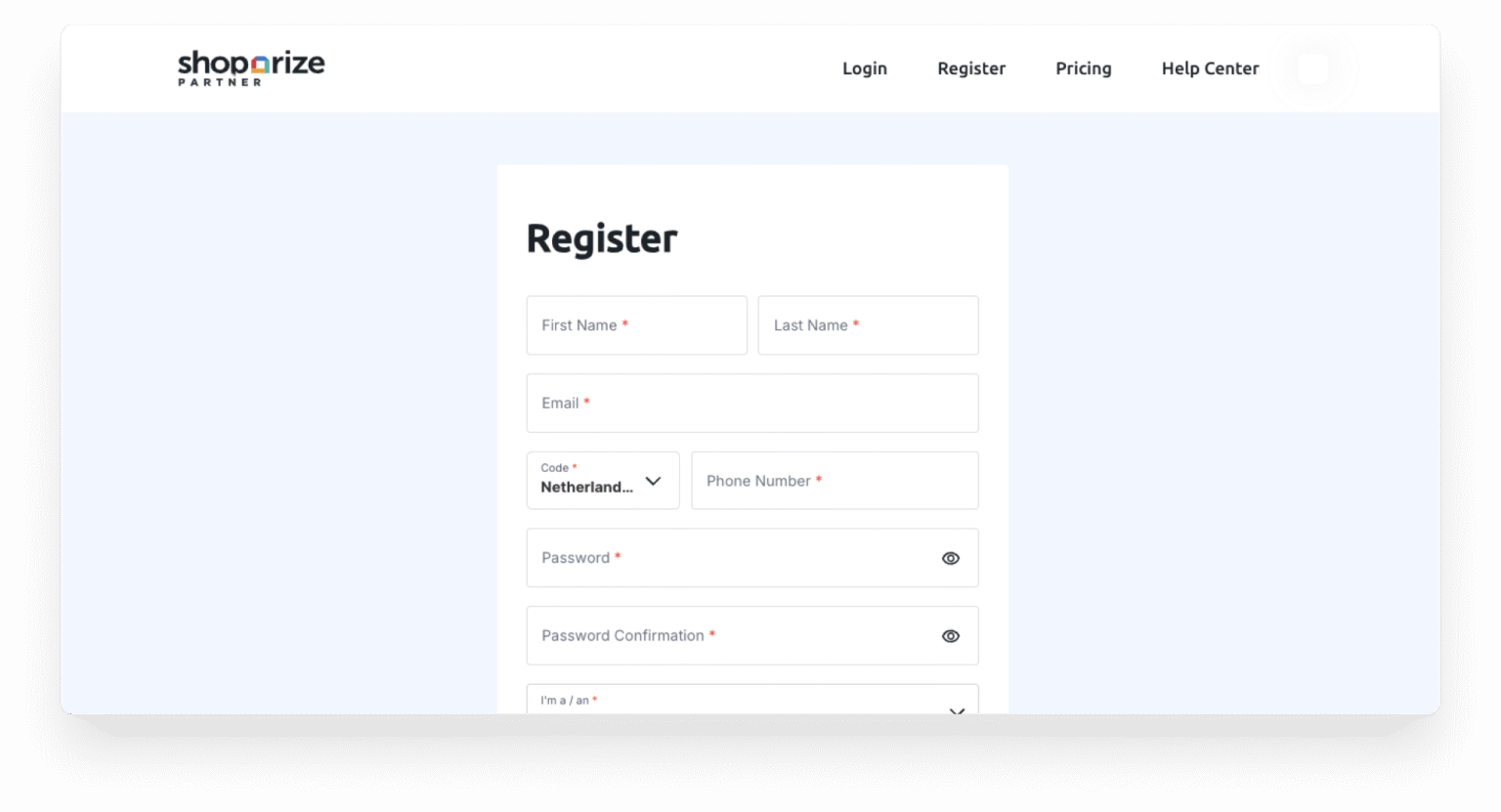
If Shoparize already submitted a partnership application to join your affiliate program, all you have to do is accept!
Step 2: Upload Your Product Feed
To run Shopping campaigns on your behalf, we need access to your product feed.
- In case you partner with us directly, uploading a product feed is done in a few simple steps via our partner dashboard.
- If you work with us through an affiliate network, your affiliate network will provide you with the functionality to upload your feed.
Upload your product feed or ensure your existing feed is active and up-to-date. Verify your feed contains accurate product information, including titles, descriptions, prices, and availability.
Your product feed powers our campaigns. Complete and accurate product data directly impacts campaign performance.
Step 3: Make sure your Merchant Center is converted to a Multi-Client Account (MCA)
Now, within Merchant Center, you need to make sure you have a Multi-Client Account.
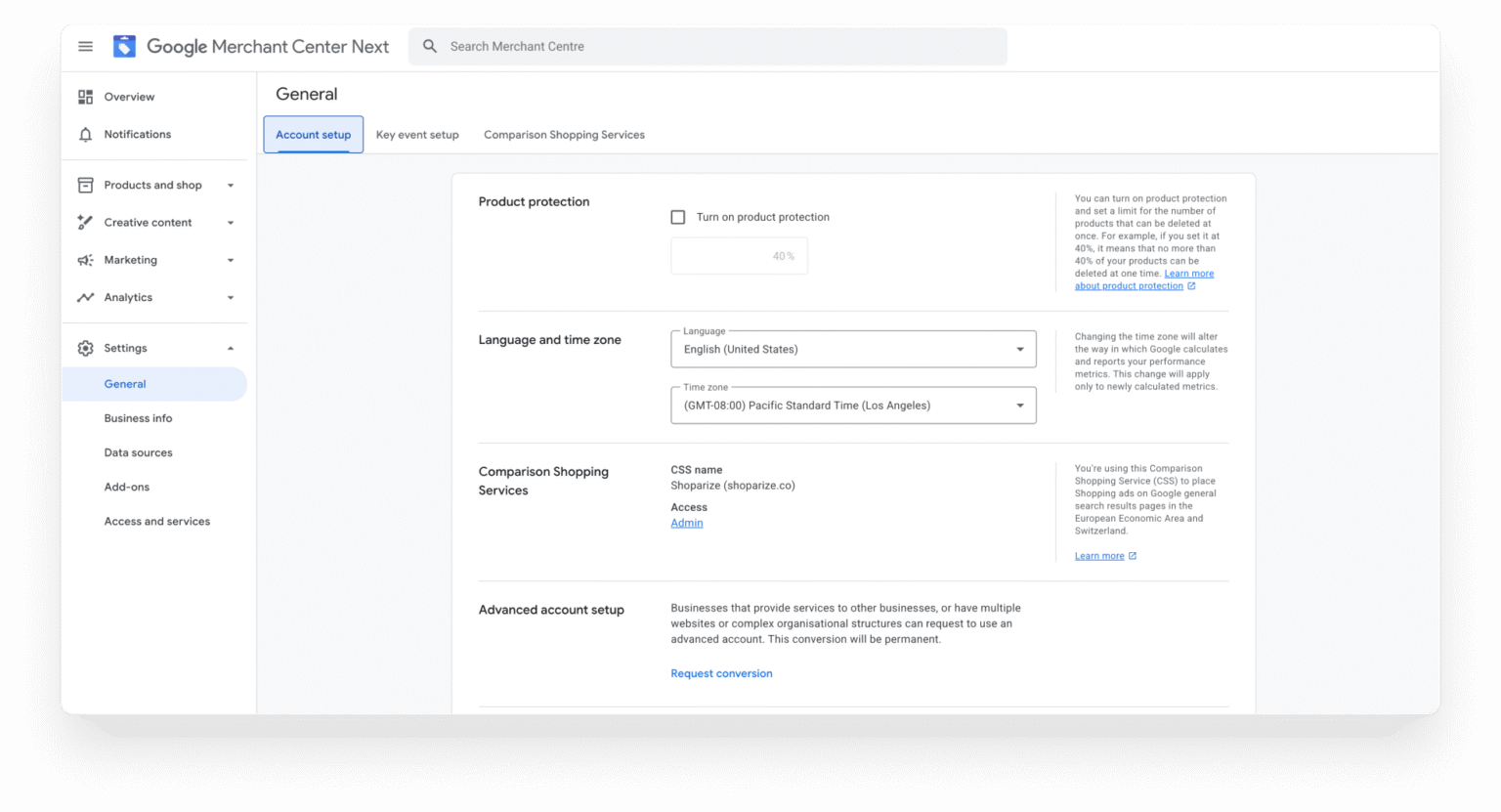
To do so: Go to settings and select “general”.Under the “Account setup” tab, go to the “Advanced account setup” section. Click Request Conversion.
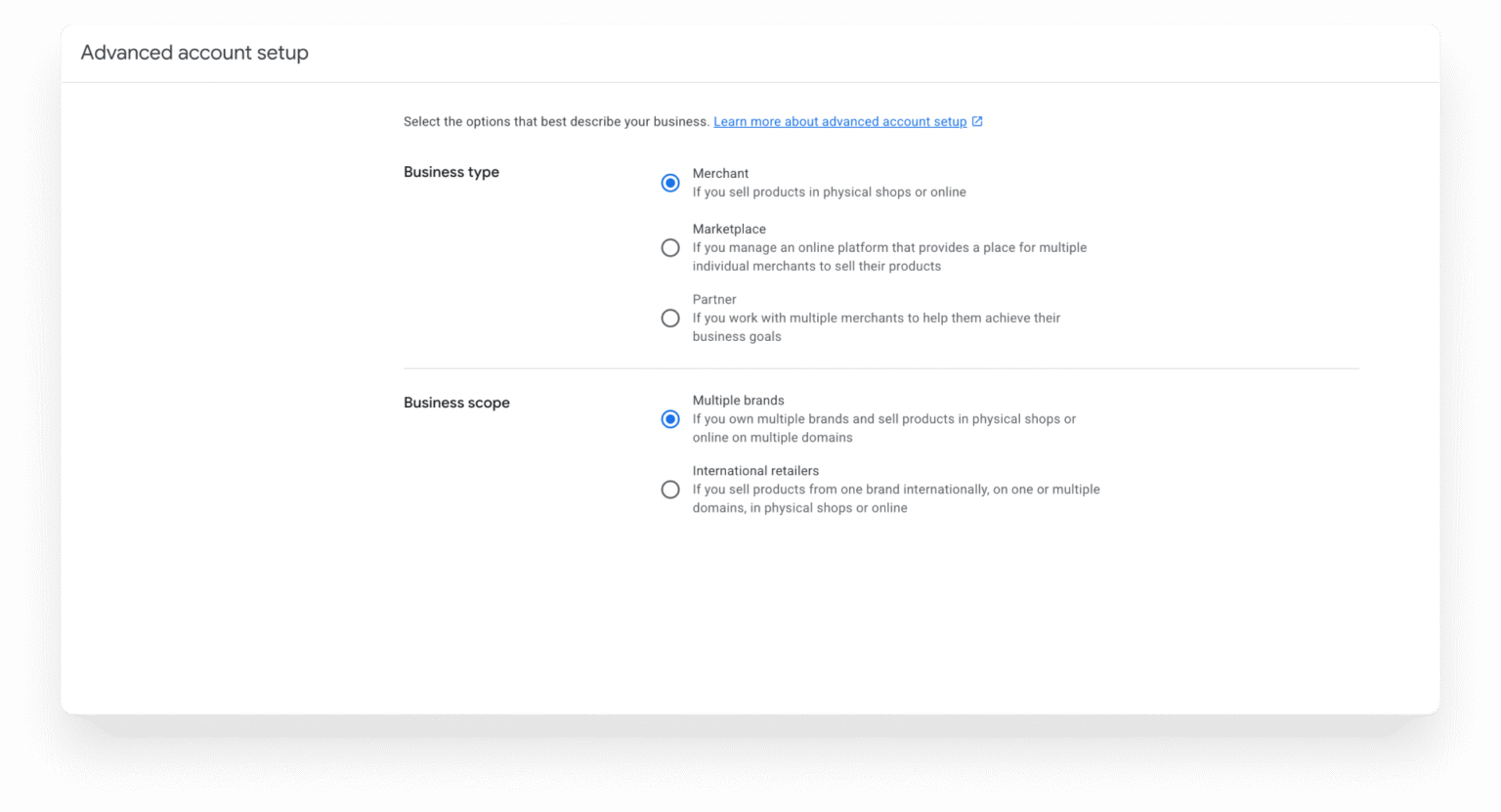
Make sure to select the options that best describe your business and click Request.
Step 4: Claim and verify your website on the MCA level
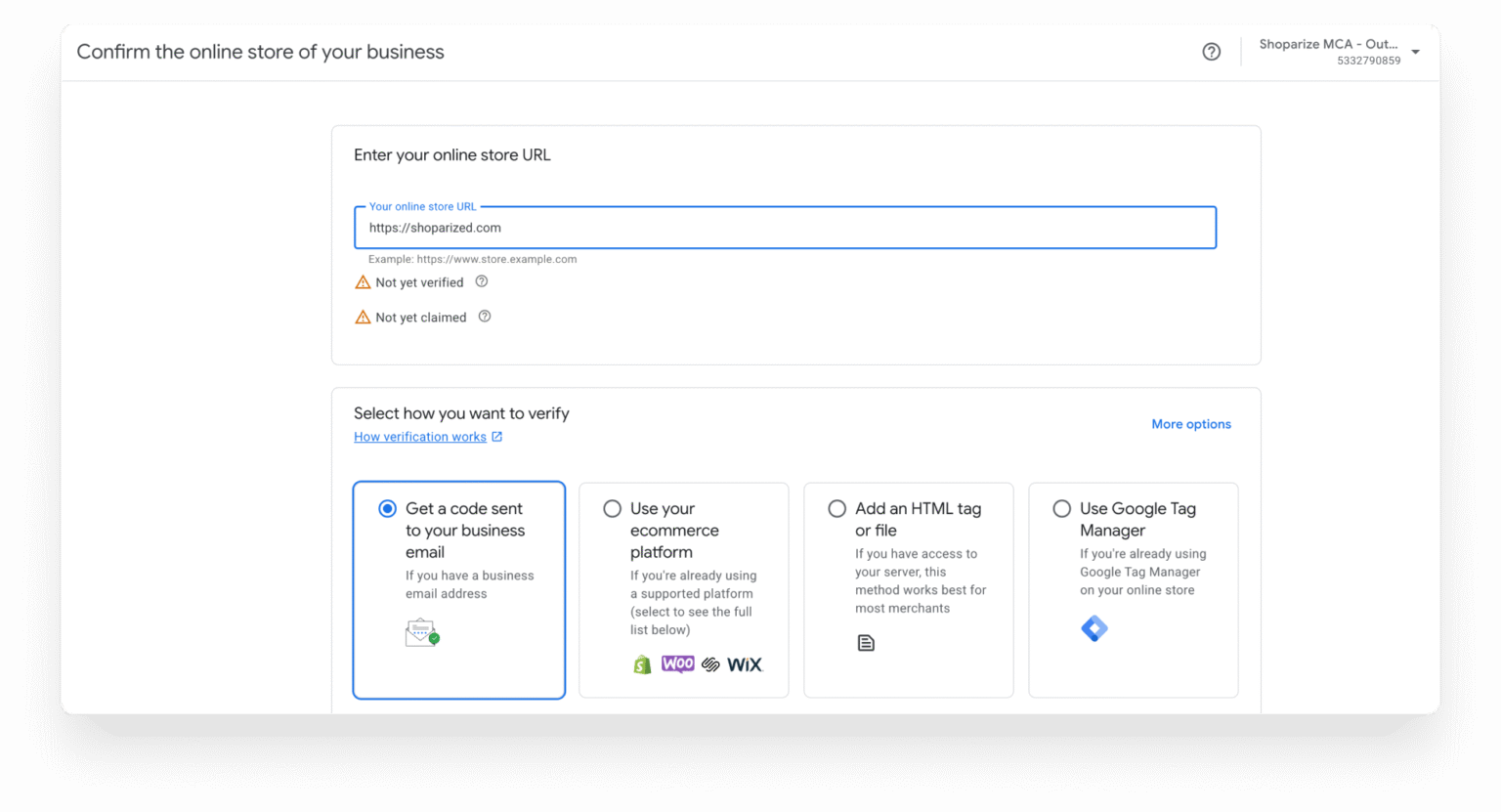
You will need to claim and verify your website on the MCA level. Log in to your Merchant Center account and navigate to the Parent MCA Account. Under “Business info” click “Edit Online Store.” Select and complete the method of verification, and click “Verify your online store”.
Step 5: Create a Sub-Account in Your Google Multi-Client Account (MCA)
We need a dedicated Merchant Center sub-account to run campaigns on your behalf. To create this sign in to your Merchant Center account at merchants.google.com and navigate to Accounts. Click Add account.
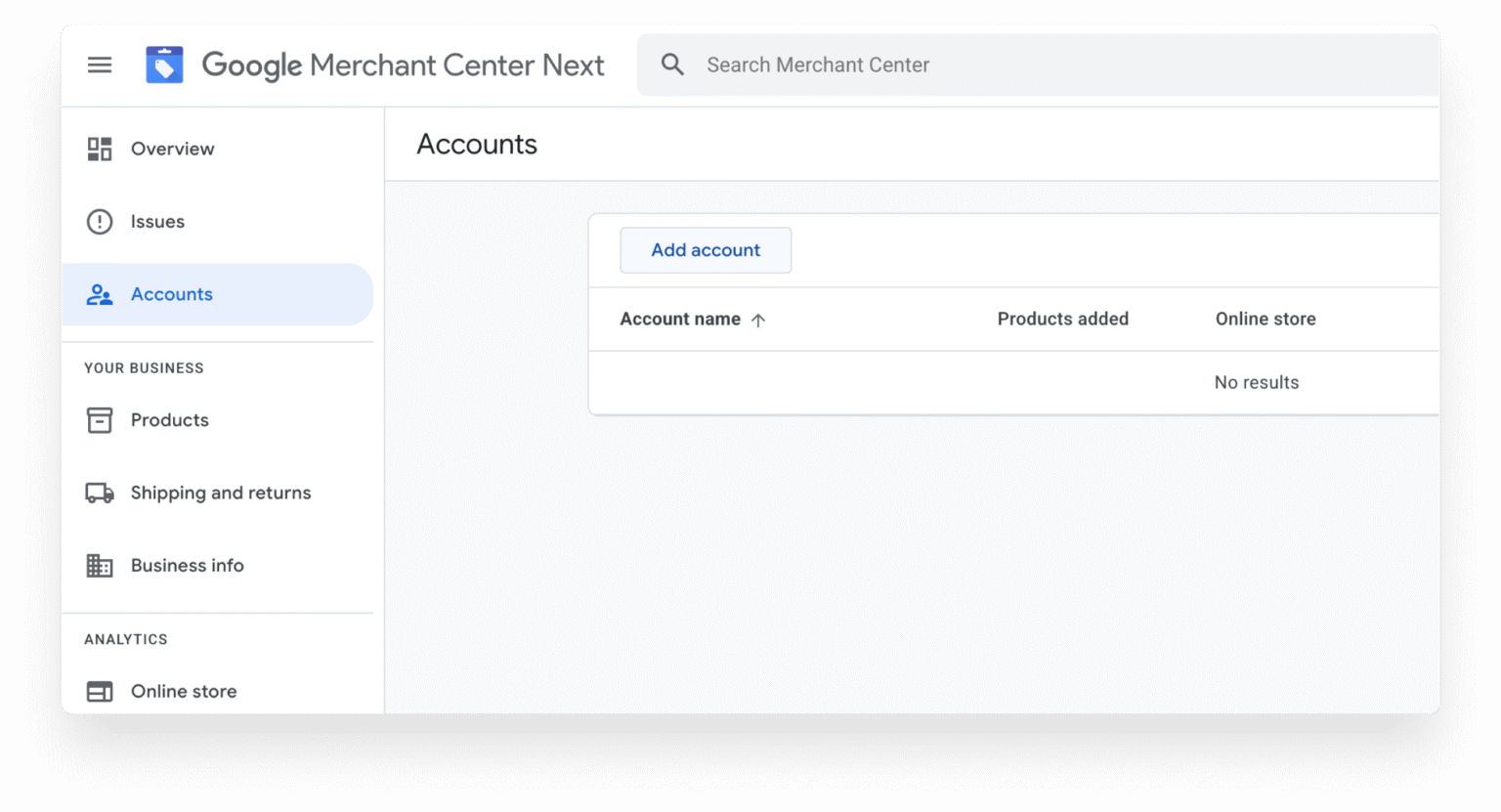
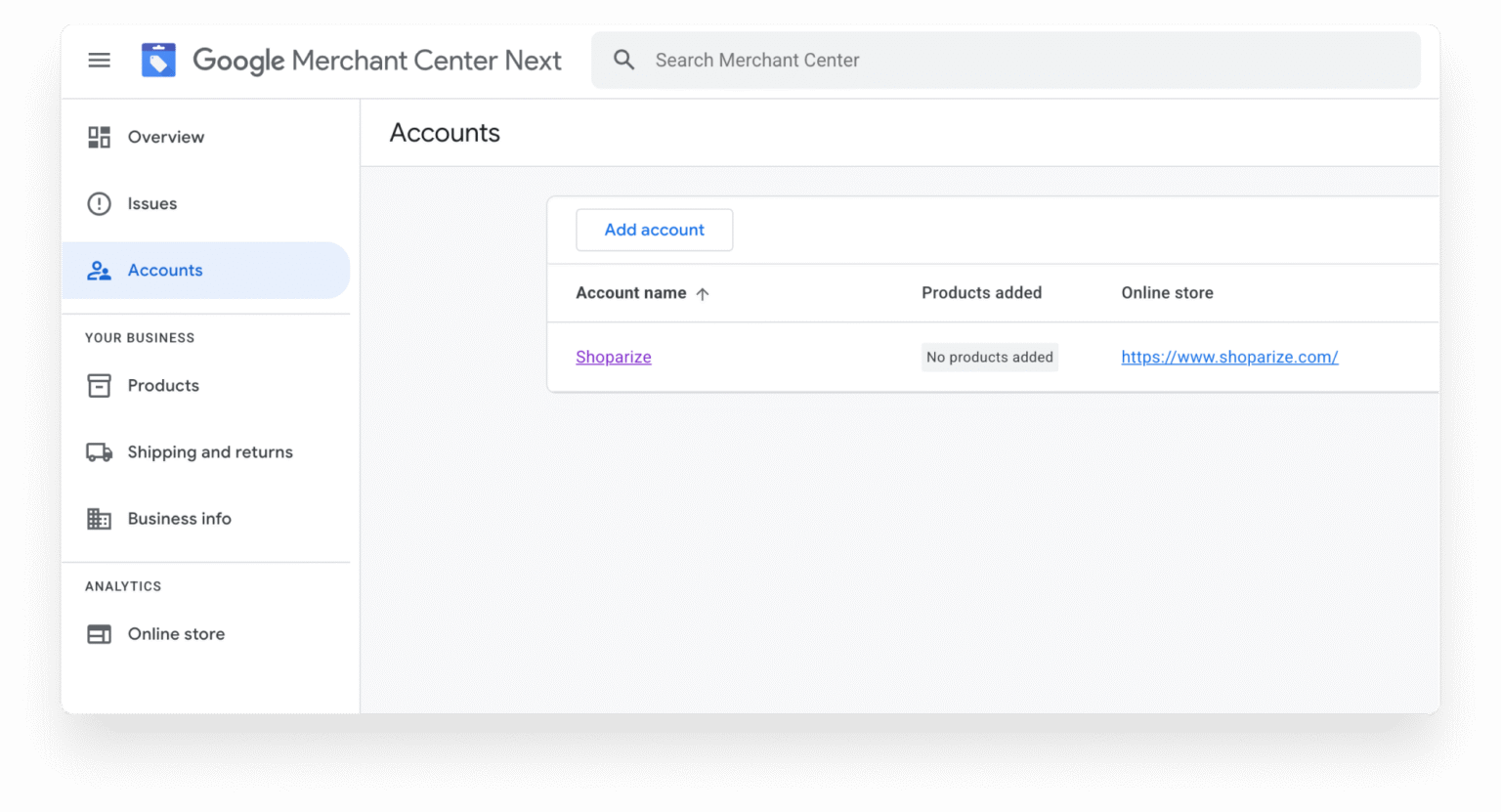
Enter a name for the new account (e.g., “Shoparize”) and (optionally) enter your website URL for the account. Click Add.
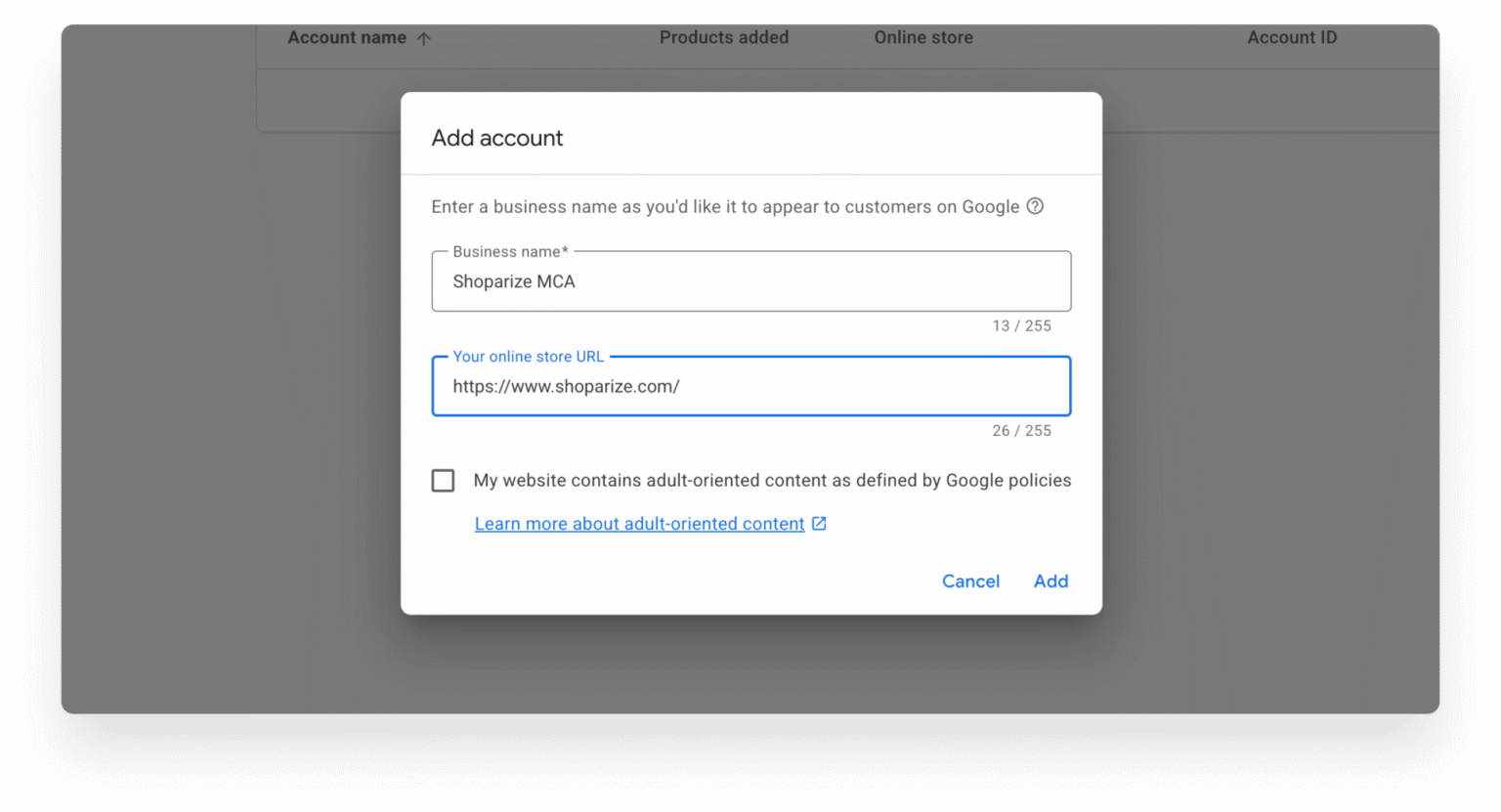
Step 6: Grant Shoparize Admin Access
Once the sub-account is created, you need to add Shoparize to the admin-access list. Open your newly created Merchant Center sub-account.
Go to account settings, navigate to User Access or Account Access.
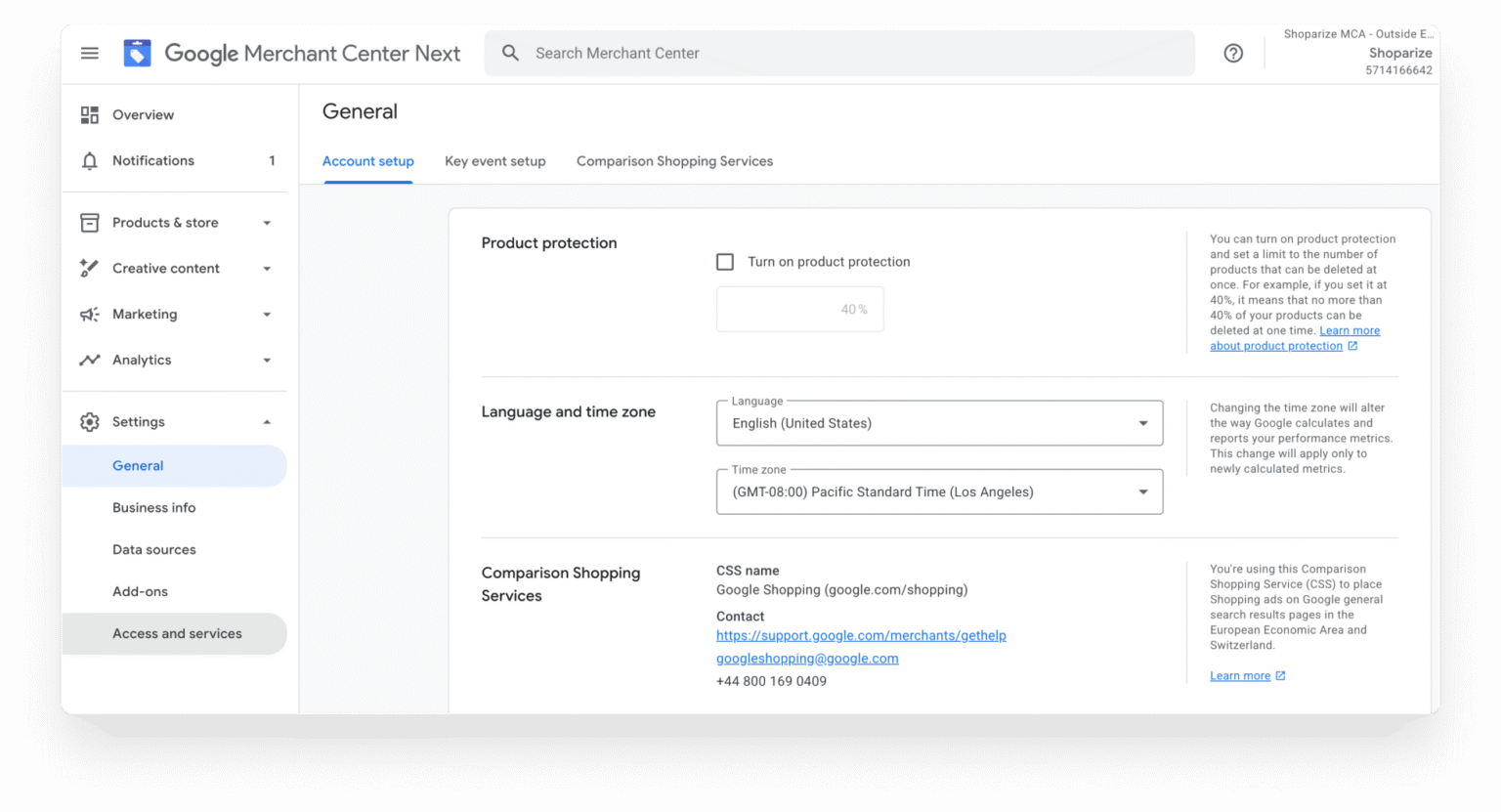
Navigate to User Access or Account Access and add Shoparize to your admin-access list using the credentials we provide.
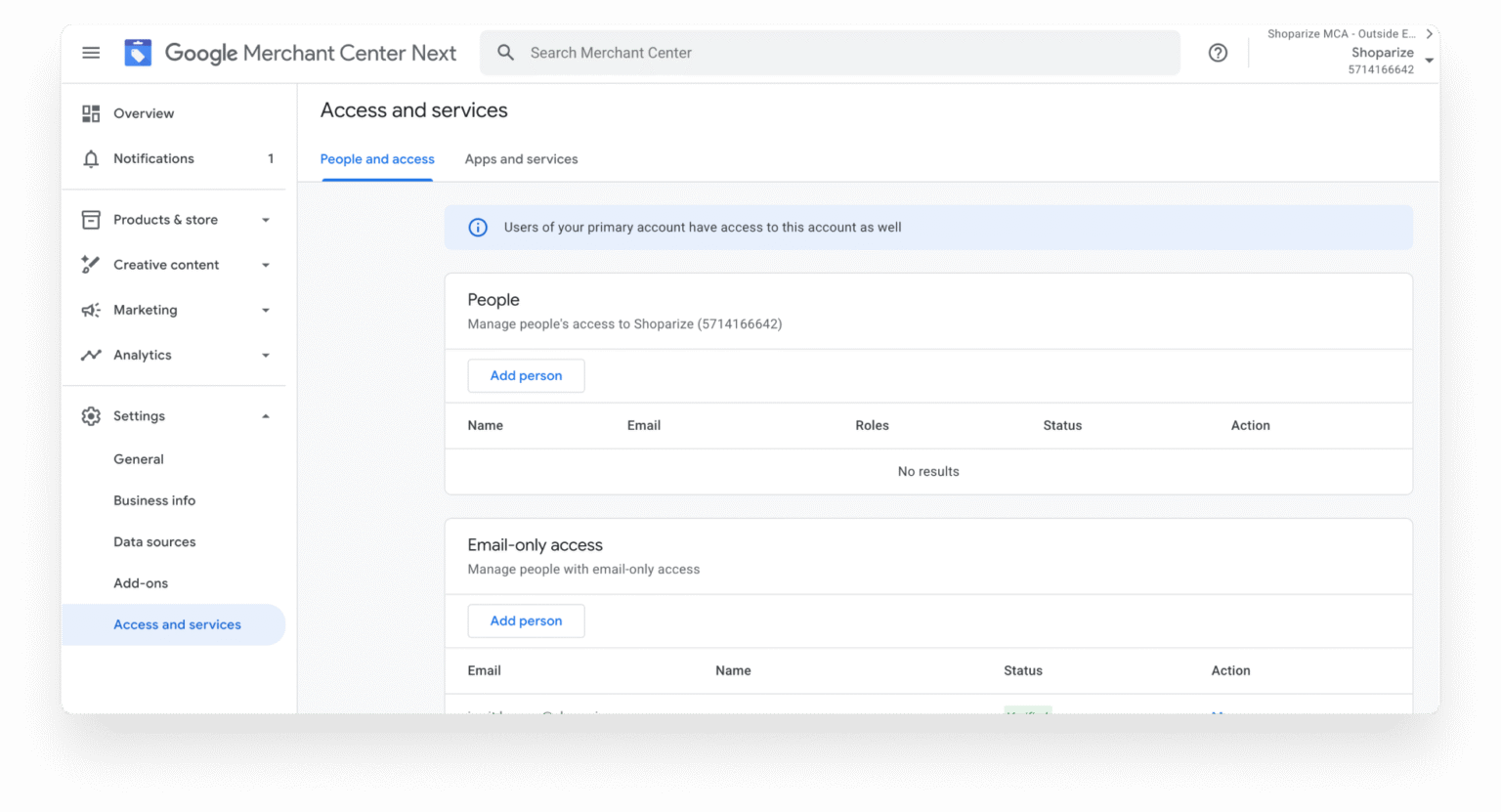
This grants us the ability to manage campaigns, upload product data, and optimize performance within your dedicated sub-account.
What happens next?
Once you complete these six steps, sit back and relax. We will get everything set up within 2-5 working days.
Interested in learning more? Looking for additional guidance to get set up? Reach out to us today to get started with Shoparize!